Let the routine run itself.
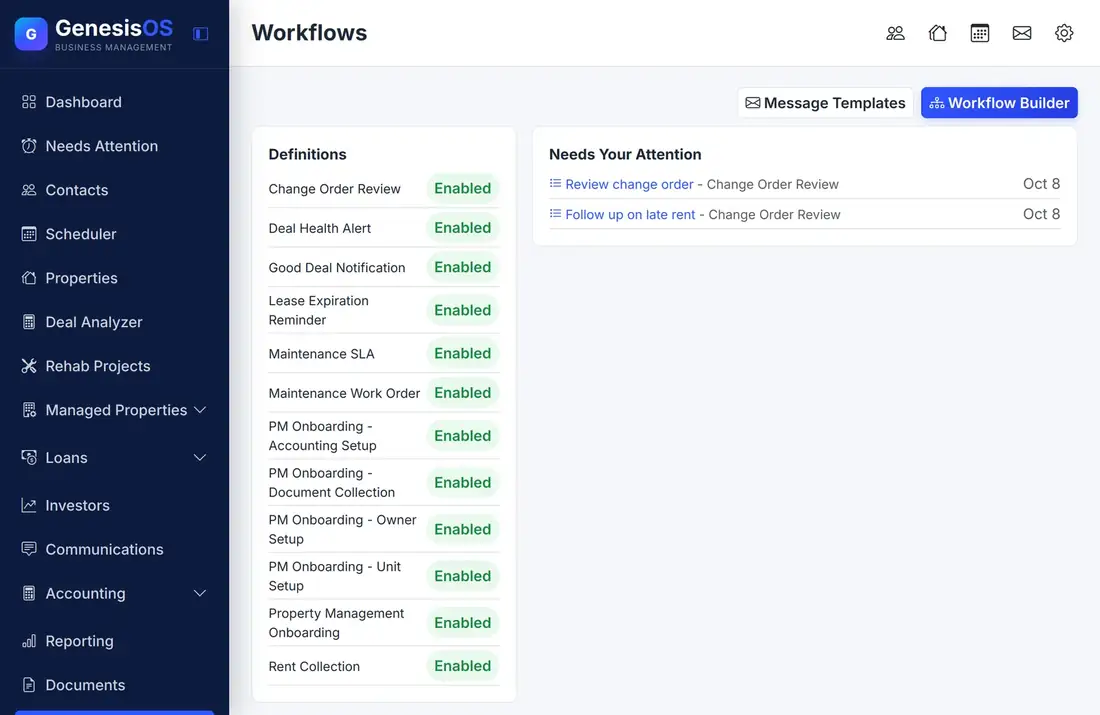
Workflows watch for something to happen, then create the tasks, send the messages, and ask for the approvals that you would otherwise remember to do by hand. Start from ready-made workflows or build your own with a wizard.
- Ready-made workflows to start from
- Three kinds of start: event, time, manual
- You approve the steps that need a person
Stop relying on memory.
Ready-made workflows
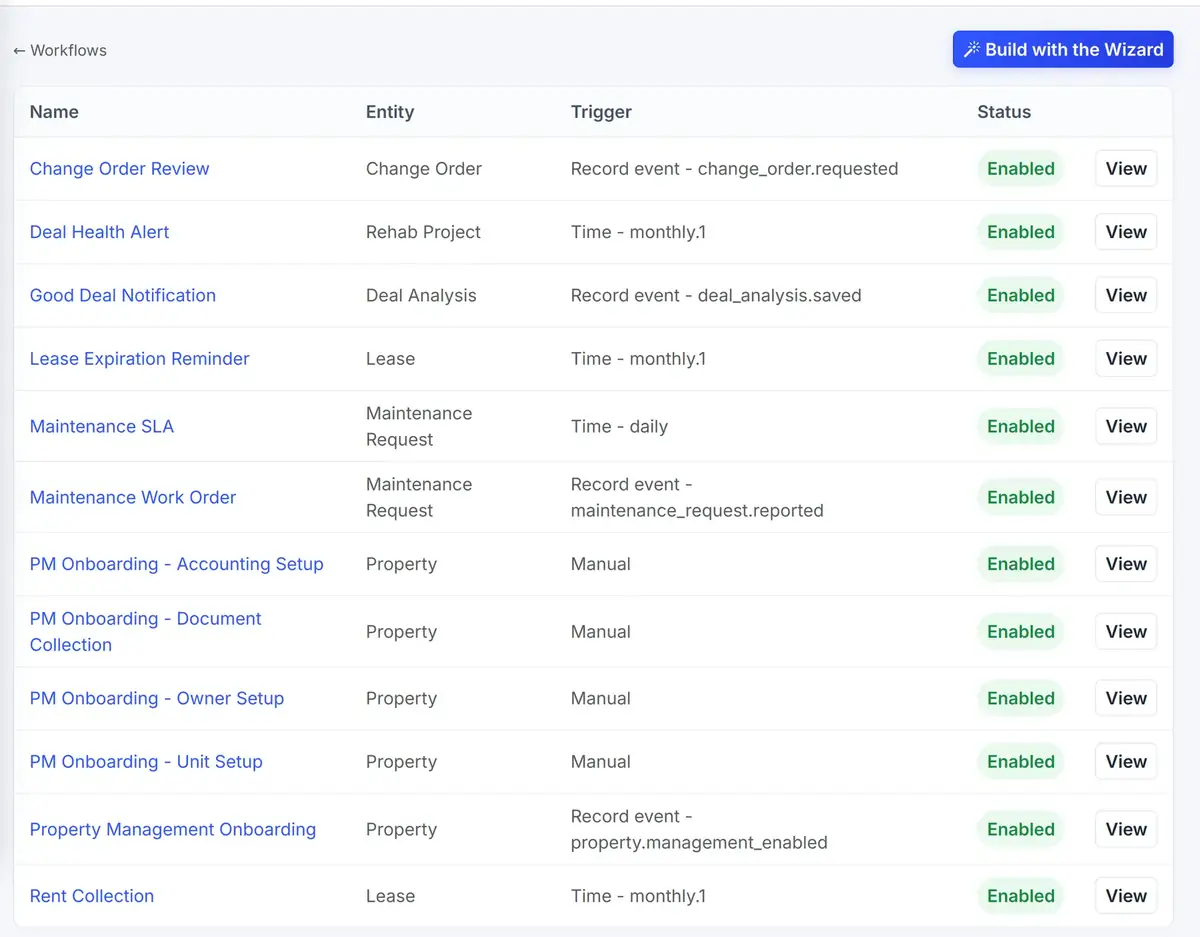
Start with workflows such as Change Order Review, Deal Health Alert, Lease Expiration Reminder, Maintenance Work Order, and Rent Collection.
Three ways to start
A workflow can start when something happens (an event on a record), on a schedule (daily or monthly), or when you start it yourself.
Build your own with a wizard
Choose Build with the Wizard to create a workflow step by step, with no code and no developer.
Tasks that need a person
Steps that need a human decision appear in a list for you to approve, reject, or complete, so automation never goes ahead without you.
Messages from your templates
Workflows can send the email and text templates you saved, so the wording is yours and the timing is automatic.
See every run
An activity list shows each workflow that ran, what it ran on, where it is now, and how it ended. You can stop one that is running.
Your workflows, switched on or off
The workflow list shows each one with the record it works on, what starts it, and whether it is enabled.
 1234
Create a new workflow step by step.
What starts it: an event, a schedule, or you.
A ready-made workflow for contractor change orders.
Switch each one on or off whenever you like.
From the first step to a finished job.
Pick or build one
Start from a ready-made workflow or use the wizard.
Set what starts it
Choose an event, a schedule, or a manual start.
Let it run
It creates tasks and sends messages as the record moves along.
Approve what needs you
Decisions appear in your list, and everything else happens on its own.
A change order arrives
A contractor requests a change order on a rehab. The Change Order Review workflow starts as soon as the request is made.
It asks the right person to review it, and nothing moves forward until that person decides.
Sample run. Your workflows and the people involved are your own.
Connected to the rest of your operation.
Good to know.
Need a module we don’t have?
GenesisOS is modular, so we can build one just for you.
Run your business from one connected system.
Replace disconnected handoffs with shared records, purpose-built modules, and workflows that move the work forward.