Ask in plain English. Confirm before it acts.
Chat with an assistant that works inside your account. Ask it to find a contact or a property, check on a workflow, or look up what is coming due. It can create a task for you, but only after you confirm it.
- Four things it can do for you
- You confirm every change
- Plain English, no menus to learn
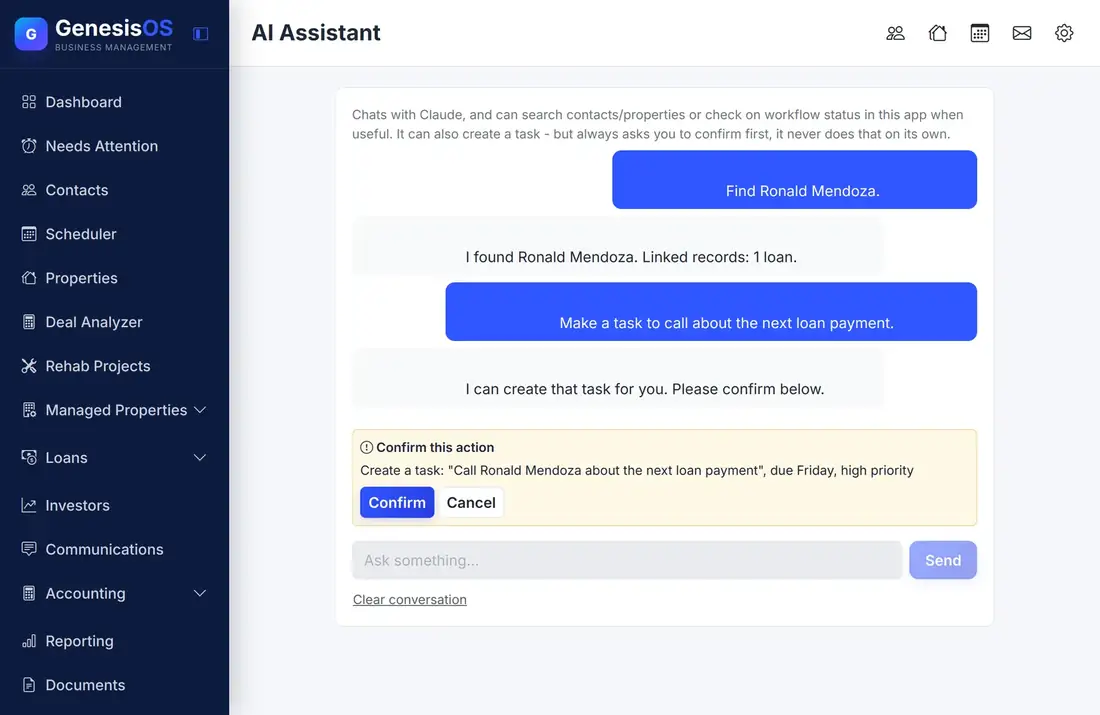
A helper that asks before it acts.
Find people and properties
Ask for a contact or a property by name, and it tells you what it found and what that record is linked to.
Check on a workflow
Ask where a workflow stands, and the assistant looks it up so you do not have to open the list.
Look ahead
Ask what is coming due, and it reads your upcoming obligations, such as leases ending and loan maturities.
Create a task
Ask it to make a task, and it prepares one for you, with the title and the due date, for your approval.
Never acts on its own
Before it creates anything, it shows you exactly what it is about to do and waits. Nothing happens until you click Confirm.
Only what you use
It can only look at the parts of GenesisOS that are switched on, so a module that is off stays out of its answers.
Ask, review, confirm
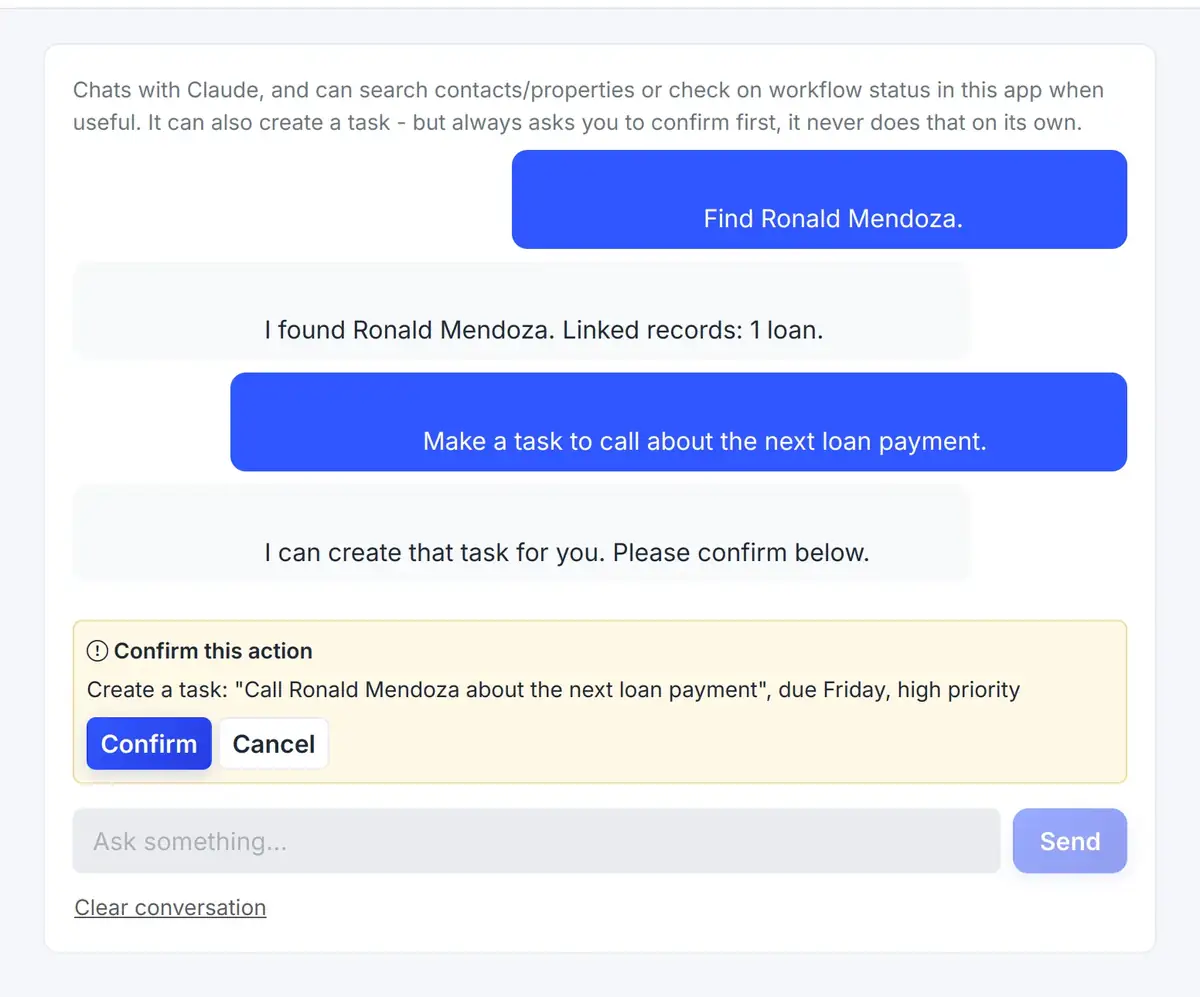
The assistant answers in a chat. When it wants to create something, it stops and asks you to confirm.
 1234
Ask in a sentence, the way you would ask a colleague.
It shows exactly what it is about to do.
Nothing happens until you click.
Type your next question here.
From the first step to a finished job.
Open the assistant
Choose AI Assistant from the menu.
Ask a question
Type what you need, such as a contact's name.
Review the answer
Read what it found, then ask for a task if you want one.
Confirm
Click Confirm to create it, or Cancel to stop.
A follow-up in ten seconds
You ask the assistant to find a borrower. It tells you who it found and that the borrower has one loan.
You ask it to make a task to call about the next payment. It shows you the task and waits, and you confirm.
Sample chat. The assistant works from your own records.
Connected to the rest of your operation.
Good to know.
Need a module we don’t have?
GenesisOS is modular, so we can build one just for you.
Run your business from one connected system.
Replace disconnected handoffs with shared records, purpose-built modules, and workflows that move the work forward.