Email and text, saved on the record.
Send an email or a text from any contact and every message is saved on that contact. Incoming mail and texts land in the same place, and reusable templates mean you write the common messages once.
- Two channels: email and SMS
- One history per contact
- Reusable templates for common messages
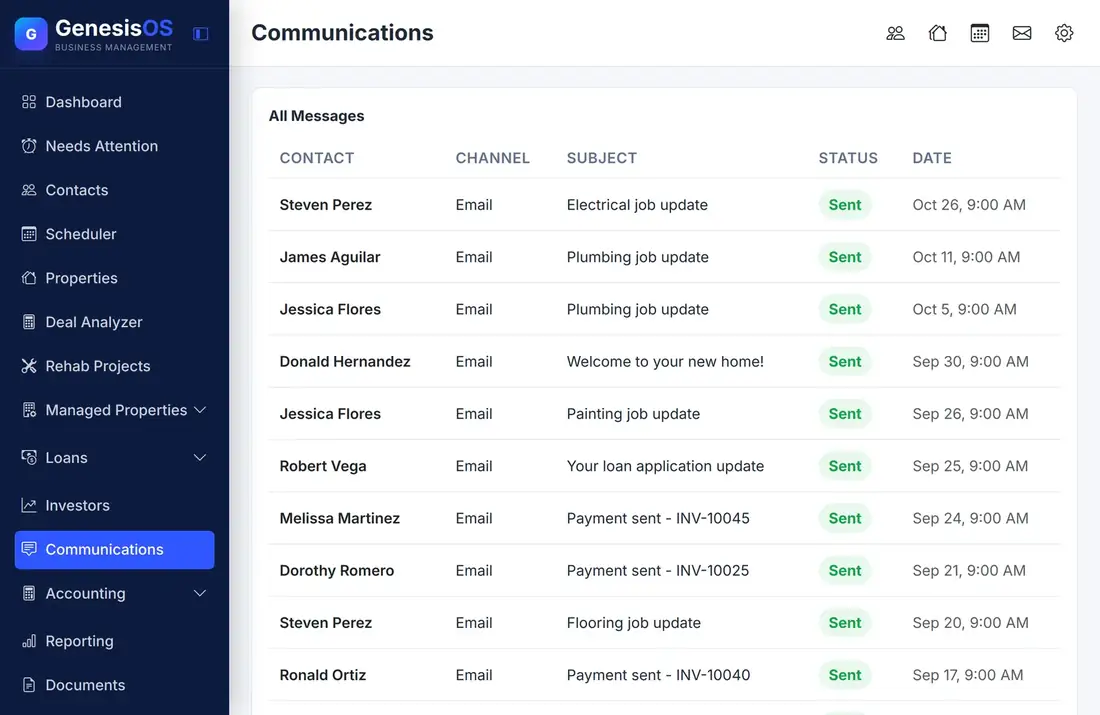
Every conversation, where it belongs.
Email from any contact
Write and send an email from the contact record, using your own mail settings. The message is saved with the contact instead of living in a private inbox.
Text messages too
Send and receive SMS through your own Twilio number. Texts appear on the contact next to the emails, in order.
One list of all messages
The Communications page lists messages across every contact, with the channel, subject, status, and date, so you can see what went out and what came in.
Templates you reuse
Write a welcome message, a rent reminder, or a showing confirmation once, then send it again from any contact. Fill-in fields place the name for you.
Attachments included
Attach files to a message and open them later from the conversation, even if the Documents module is off.
You see what is new
An unread count in the top bar tells you when something has arrived, so a reply is never sitting unnoticed.
Message templates, ready to send
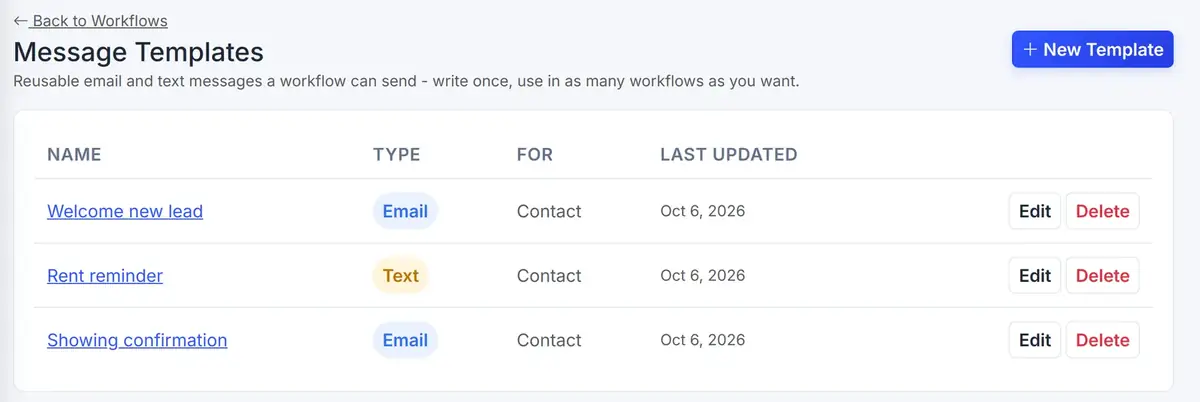
Templates keep the messages you send often in one place, labeled as email or text, with the name and subject ready to go.
 1234
Your saved messages live on this page.
Write a message once and save it for next time.
Each template is an email or a text.
Open one to edit it, or choose it when you send a message.
From the first step to a finished job.
Connect your channels
Add your mail settings and, for texts, your Twilio number in Settings.
Write or pick a message
Start from a saved template or write something new on the contact.
Send it
The email or text goes out and is saved on the contact right away.
Replies come back
Incoming email and texts are saved on the same contact, in order.
A new lead, answered in a minute
A lead comes in from your website. You open the contact and choose your Welcome template, and the first name is filled in for you.
The message goes out by email, and when the lead texts back, the reply appears on the same contact.
Sample messages. Your own templates and wording are saved in your account.
Connected to the rest of your operation.
Good to know.
Need a module we don’t have?
GenesisOS is modular, so we can build one just for you.
Run your business from one connected system.
Replace disconnected handoffs with shared records, purpose-built modules, and workflows that move the work forward.