Run your rentals without the spreadsheet.
Turn on management for a property, add its units and leases, track rent as it comes in, and handle repairs from request to finished. Tenants log in to pay rent and report problems, and owner payouts are worked out for you.
- Units, leases, rent, and repairs
- A portal for tenants to pay and report
- Payouts worked out for owners
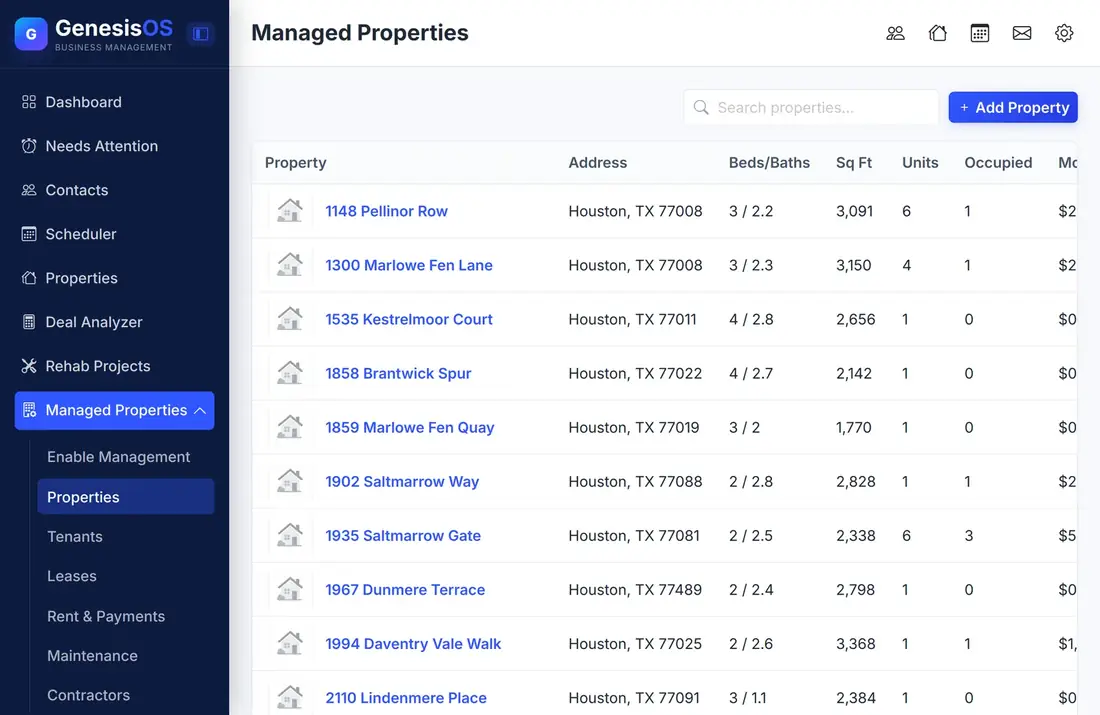
Everything a landlord does, in one place.
Properties, units and leases
Turn on management for a property, add its units, and record each lease with the tenant, the rent, the start and end dates, and the due day.
Rent you can see
Record rent payments and charges as they happen. Outstanding rent shows on the Dashboard and in Needs Attention, so late rent is not a surprise.
Late fees by your rules
Set your late fee rules once in Settings, and they apply across your rentals instead of being worked out by hand each month.
Maintenance from request to done
Each maintenance request has a priority, an assigned contractor, and a status. Urgent ones surface on the attention list.
A tenant portal
Tenants log in to pay rent online, once you connect Stripe, and to send maintenance requests with their own login.
Owner payouts
Generate payouts for property owners and mark each one paid, so owners are not waiting while you work out the math.
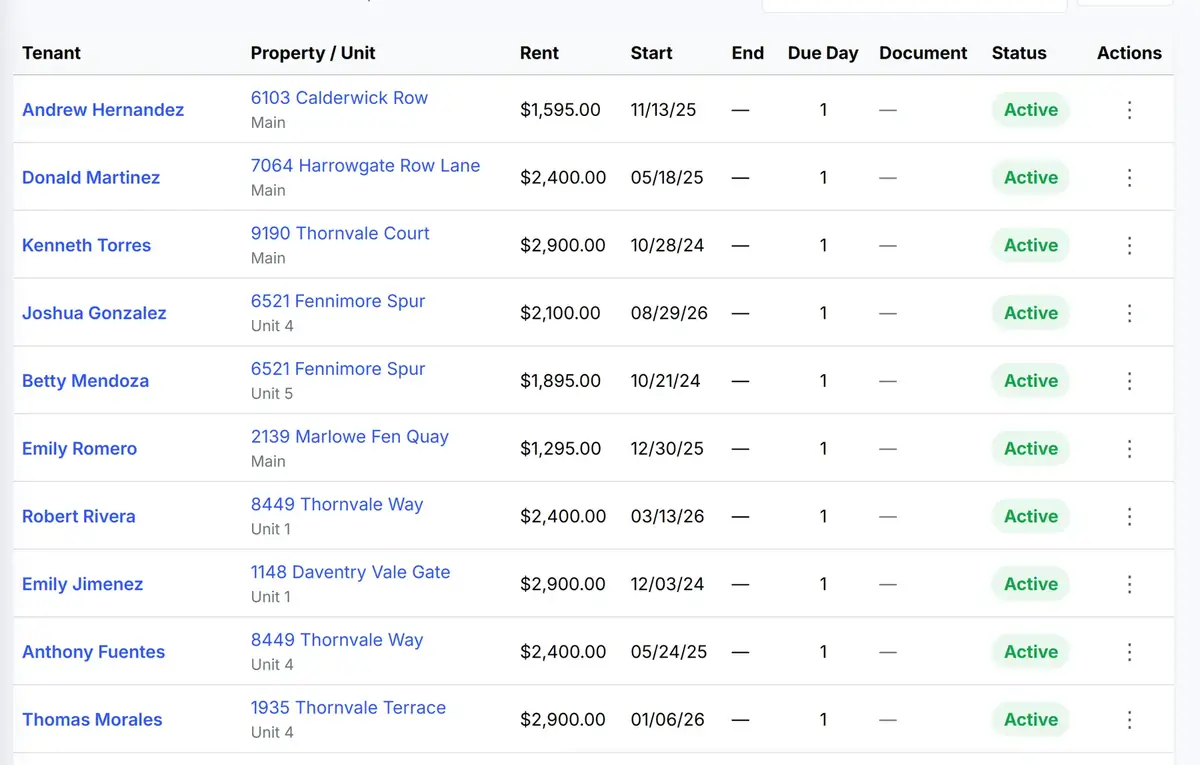
Every lease, one list
The Leases page lists each tenant with their unit, rent, dates, due day, and status.
 1234
Who is renting, linked to their contact record.
The monthly rent for each lease.
The day of the month that rent is due.
Active or ended, at a glance.
From the first step to a finished job.
Turn on management
Choose a property and switch on management for it.
Add units and leases
Record each unit and each tenant's lease with the rent and due day.
Collect and maintain
Record rent as it arrives and work through maintenance requests.
Pay the owner
Generate the owner payout and mark it paid.
Rent day
A four-unit building has four leases. On the first of the month, three tenants pay through their portal, and the fourth does not.
The late rent appears on your attention list, the late fee rule applies, and a maintenance request from the same tenant shows up beside it.
Sample building. Your units, tenants and amounts are your own.
Connected to the rest of your operation.
Good to know.
Need a module we don’t have?
GenesisOS is modular, so we can build one just for you.
Run your business from one connected system.
Replace disconnected handoffs with shared records, purpose-built modules, and workflows that move the work forward.