Give customers their own login.
Borrowers, tenants, investors, contractors, and sellers each log in to see only their own records: balances, leases, investments, jobs, and documents. They pay, ask, and upload without calling you.
- Five kinds of customer, each with their own view
- Their own records only
- Zero phone calls for a balance
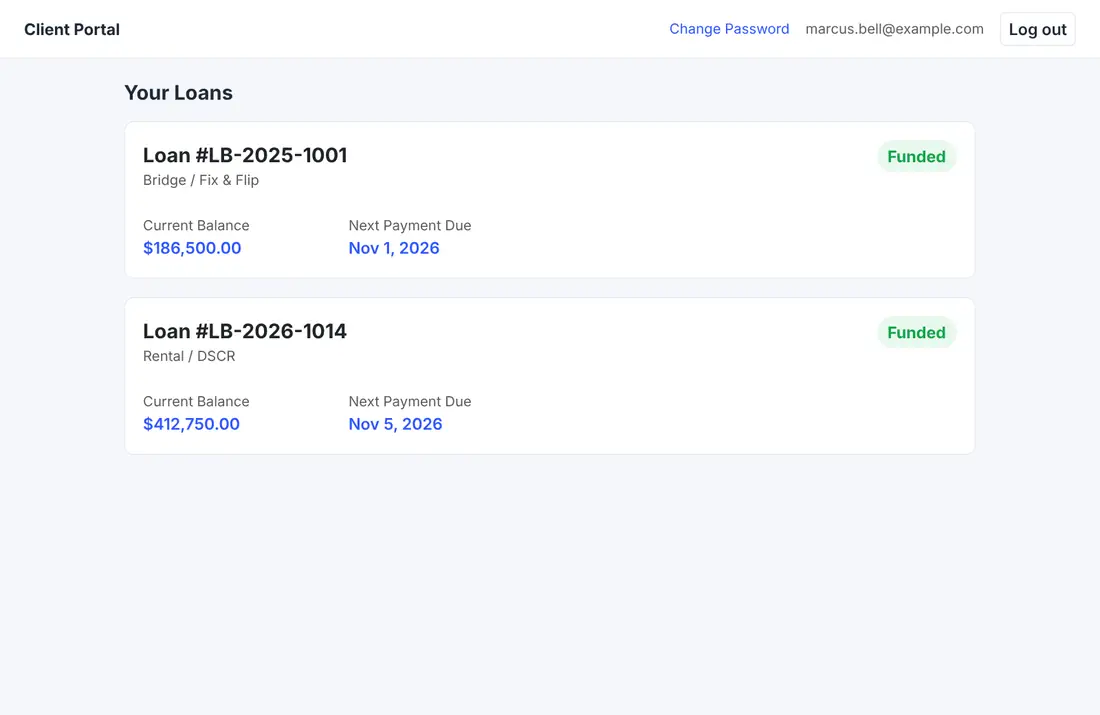
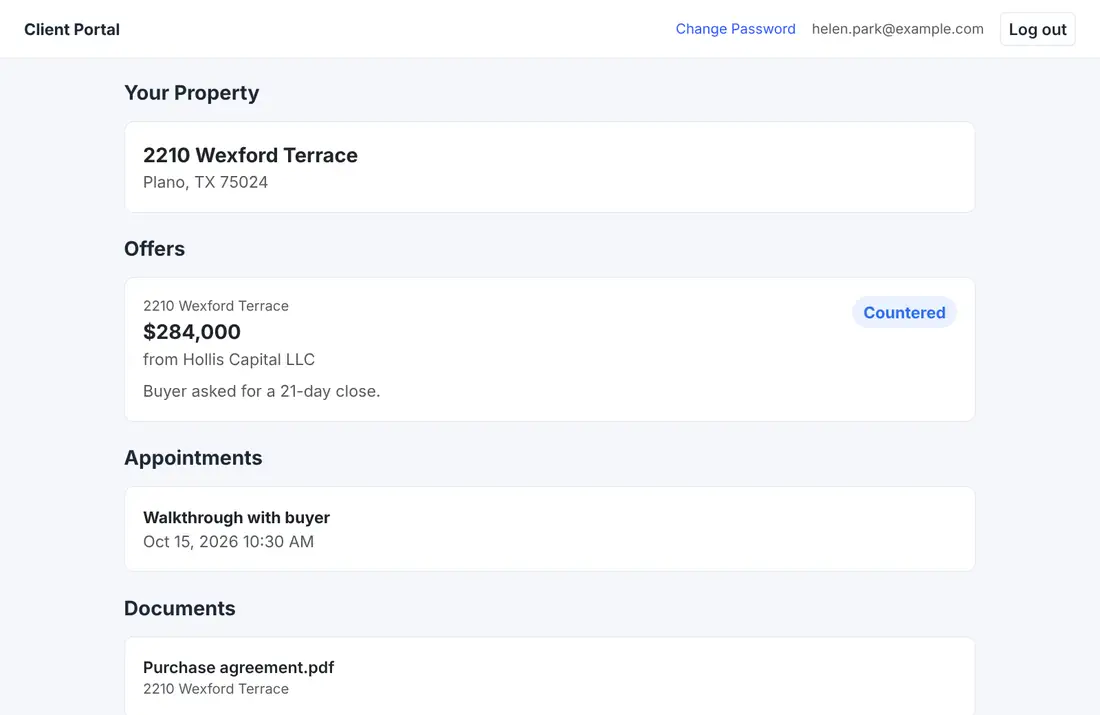
Borrower: every loan, its balance, and the next payment due.
The questions customers ask.
Borrowers
See their loan, their balance, and the next payment due, make a payment, review their payment history, and open their loan documents.
Tenants
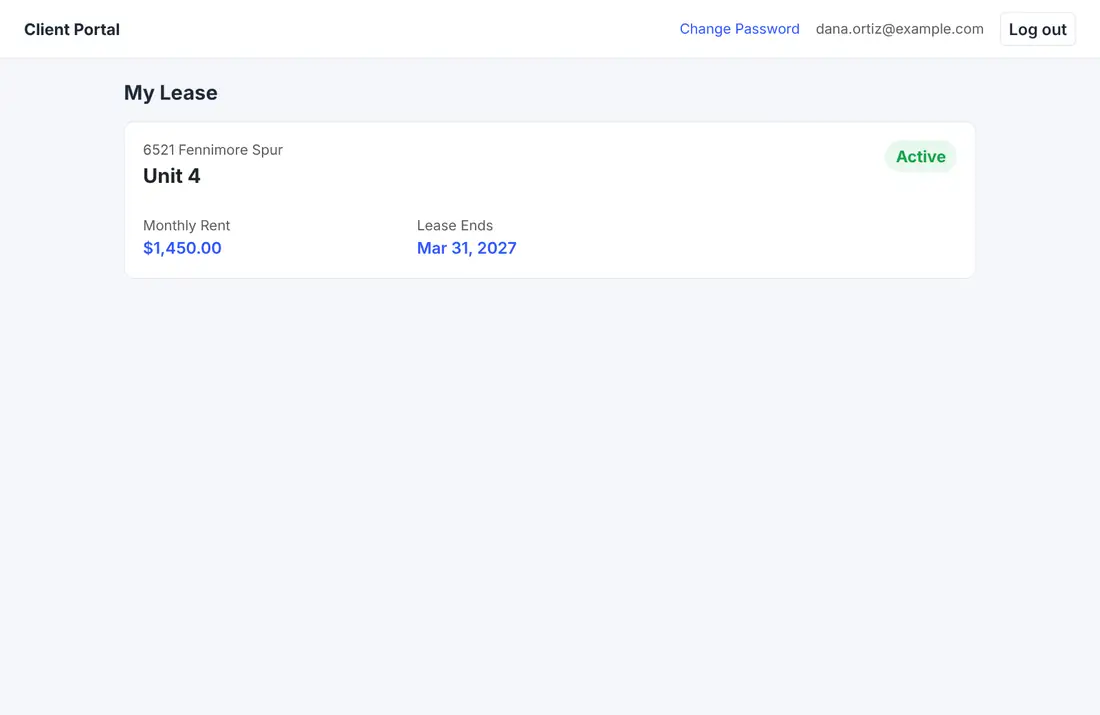
See their lease, pay rent online, and send maintenance requests, with their documents in one place.
Investors
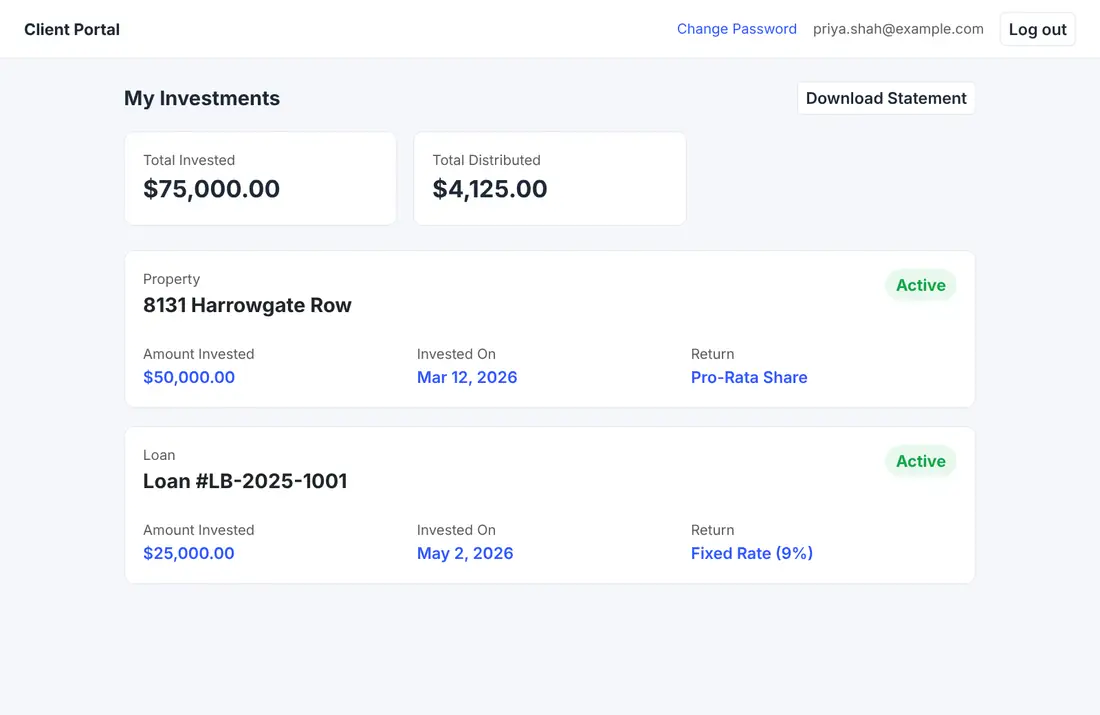
See their dashboard, open each investment, and review a statement, without asking you for one.
Contractors
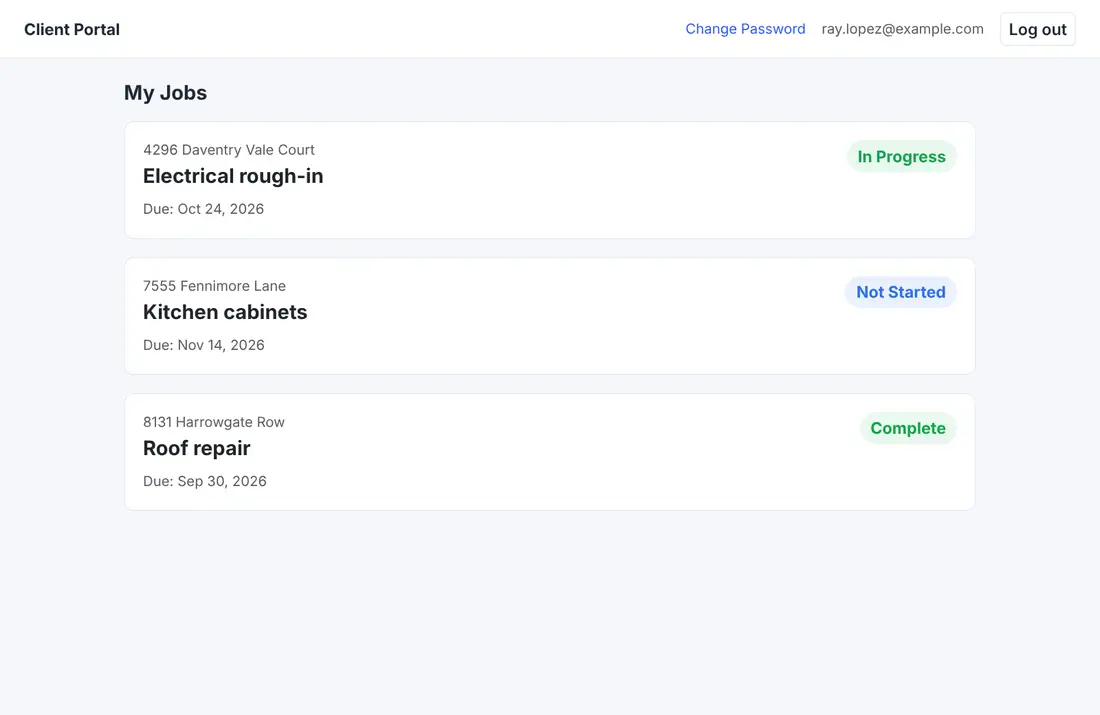
See their jobs, upload progress photos, mark a job complete, and send a change order or a payment request.
Sellers
See their own page and the documents you share with them.
More than one role
A person who is both a tenant and an investor sees one summary page with a card for each, and goes straight in if they have only one role.
What each customer sees
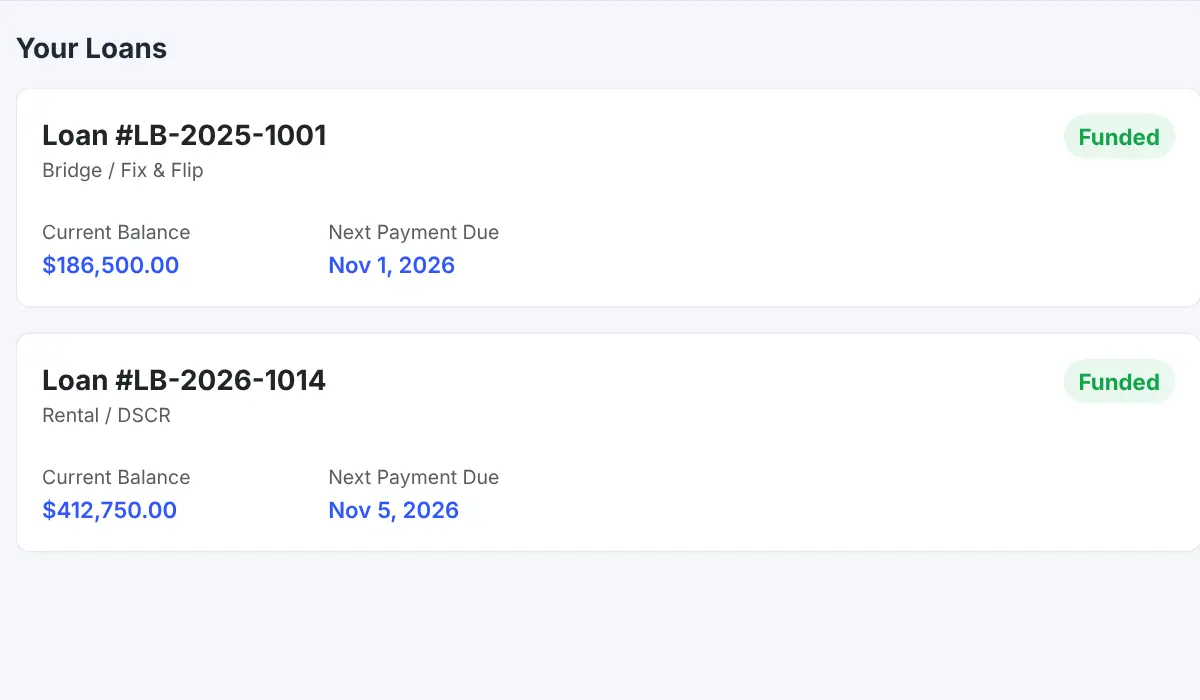
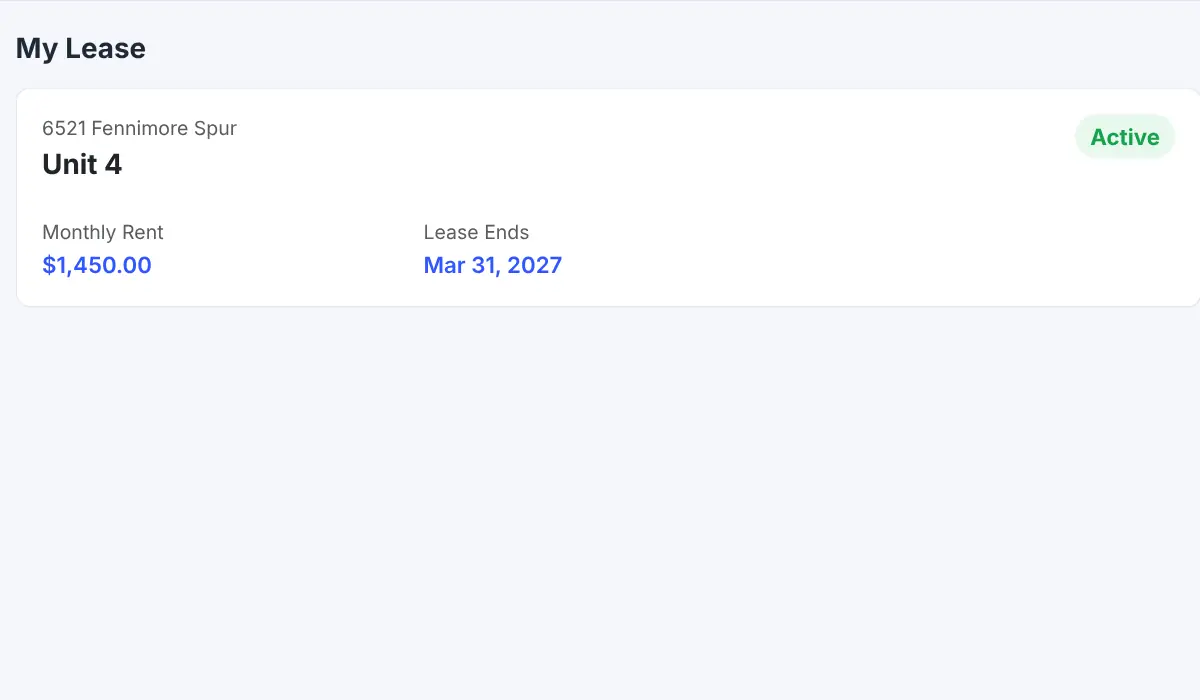
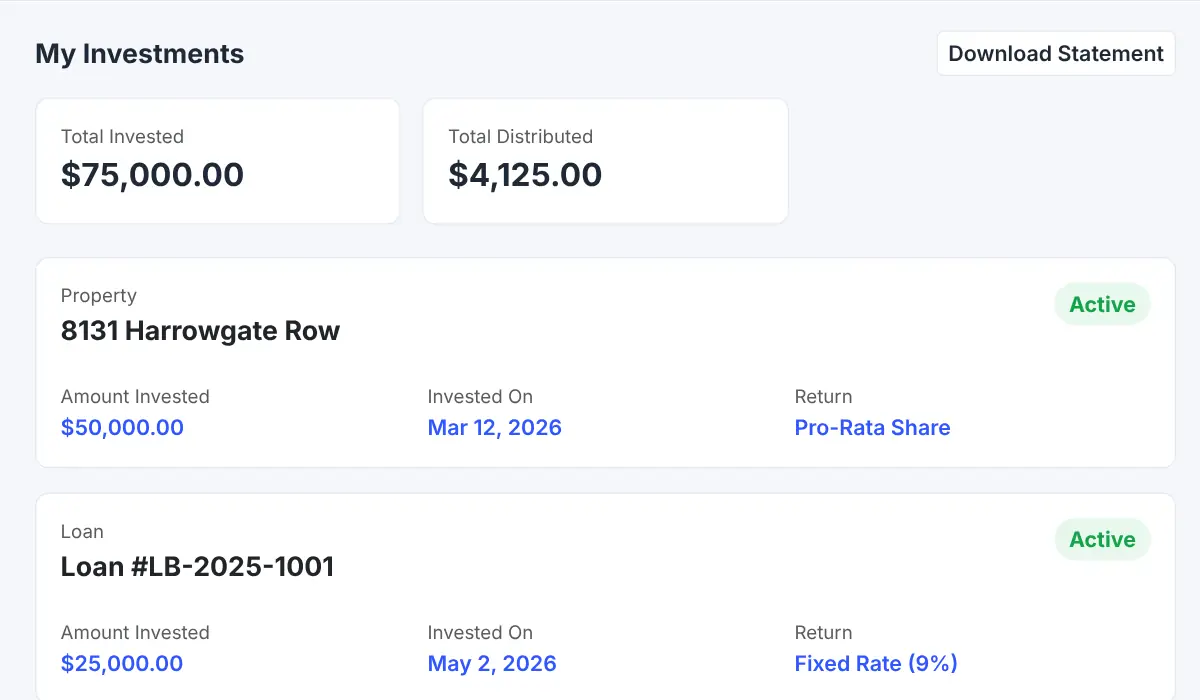
Pick a customer to see their page up close. The numbers explain each part.
 1234
Which loan this is and what kind of loan it is.
Where the loan stands, such as Funded.
What the borrower owes right now.
The date the next payment is due.
 1234
The address and unit the tenant rents.
Shows whether the lease is active or ended.
How much rent is due each month.
When the lease ends, or month-to-month.
 1234
Get a statement without asking you for one.
Total invested and total paid back so far.
A card for every property or loan they put money in.
How the investment pays, such as a fixed rate or a share.
 1234
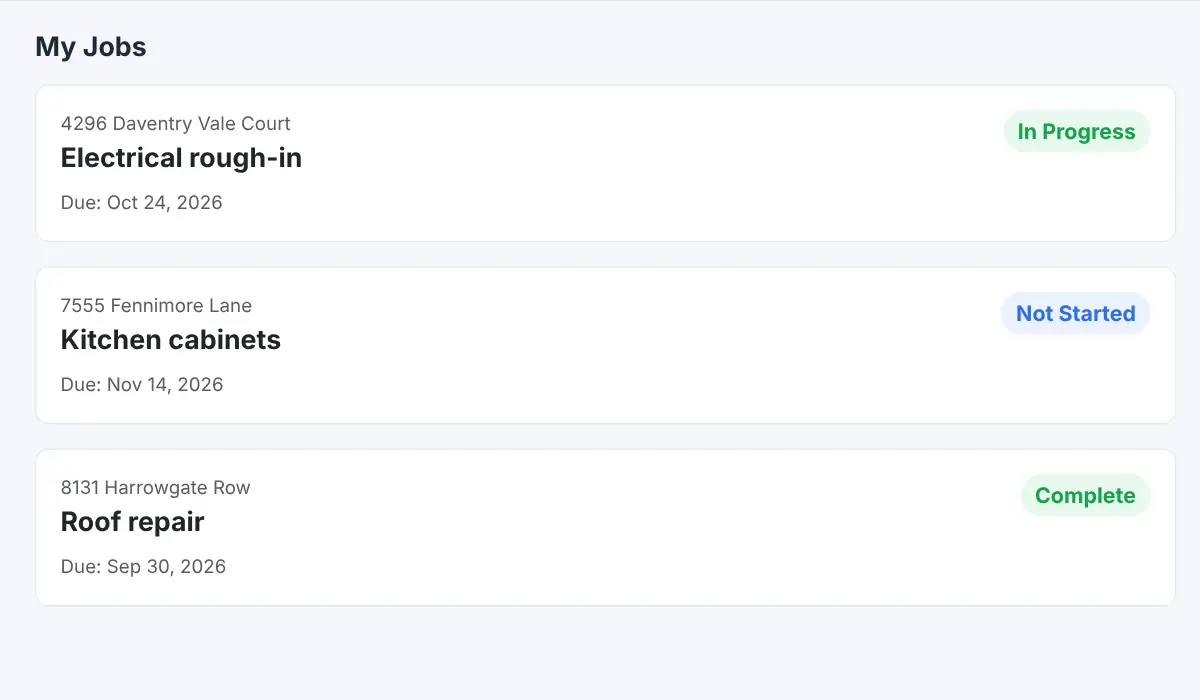
The property and the work to be done.
Not started, in progress, or complete.
When the work needs to be finished.
Every job assigned to this contractor, in one list.
 1234
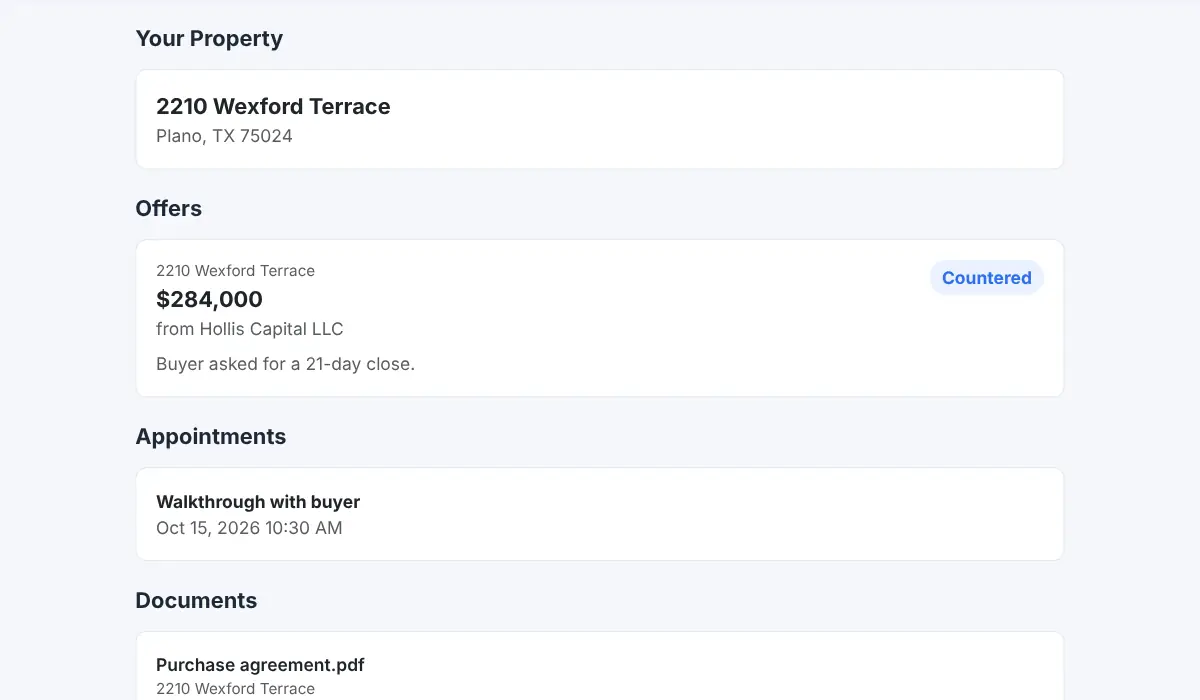
The address of the property they are selling.
Each offer with its amount, buyer, and status.
Visits and meetings on the calendar.
The files you choose to share with the seller.
From the first step to a finished job.
Start with the right module
Each kind of customer needs its module, such as Loans for borrowers.
Give each person a login
Everyone signs in with their own account.
They sign in
They land on the page for their role, or on a summary if they have several.
They help themselves
They check balances, pay, upload, and ask without a phone call.
A borrower checks in at night
A borrower wonders how much is left and when the next payment is due. They log in to their own page and see both numbers, along with the status of their loan.
Nobody on your team picks up the phone.
Sample view. Each customer sees only their own records.
Connected to the rest of your operation.
Good to know.
Need a module we don’t have?
GenesisOS is modular, so we can build one just for you.
Run your business from one connected system.
Replace disconnected handoffs with shared records, purpose-built modules, and workflows that move the work forward.