The things that cannot wait, in one list.
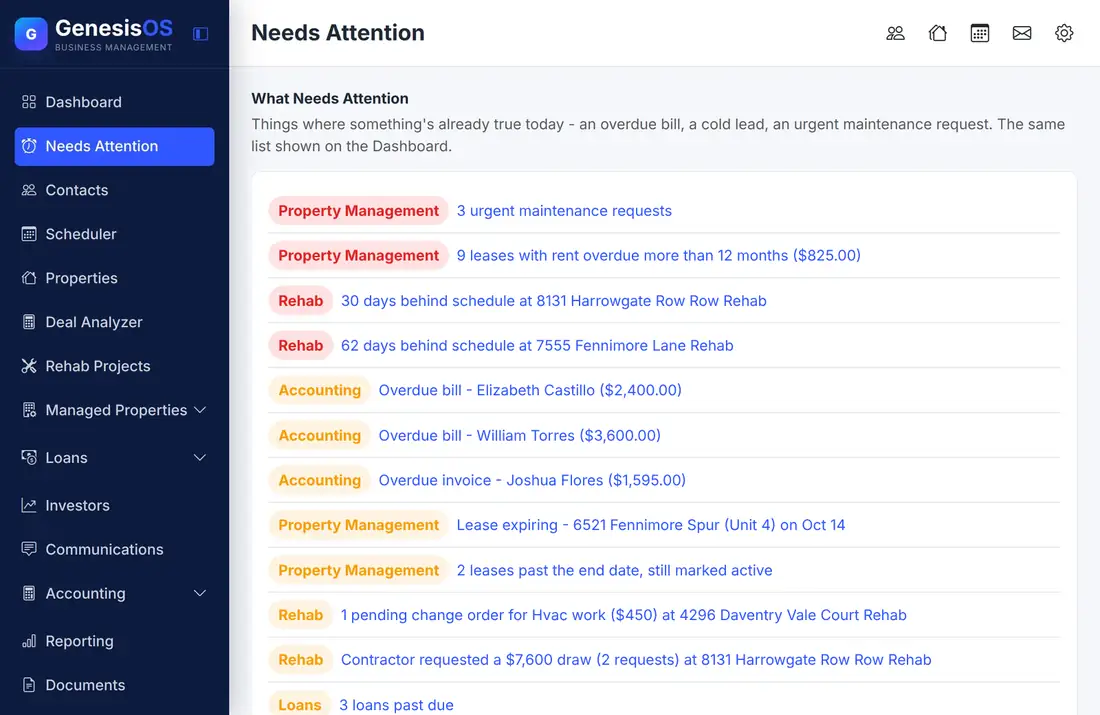
Needs Attention gathers what is already true today (an overdue bill, a cold lead, an urgent maintenance request, a rehab that slipped) into a single list. You no longer open five screens to find out what slipped.
- One list instead of five screens
- Built live from your own records
- Zero items to remember to check
Nothing slips through the cracks.
Already-true problems
Overdue bills and invoices, leases with rent behind, urgent maintenance requests, rehabs behind schedule, and loans past due are listed the moment they become true, with no one having to notice.
Tagged by where it came from
Every line carries a badge, such as Property Management, Rehab, or Accounting, so you can tell at a glance whose problem it is.
One click to the record
Each line links straight to the contact, property, bill, or project behind it, so you go from noticing to fixing in a single step.
Cold leads and loose ends
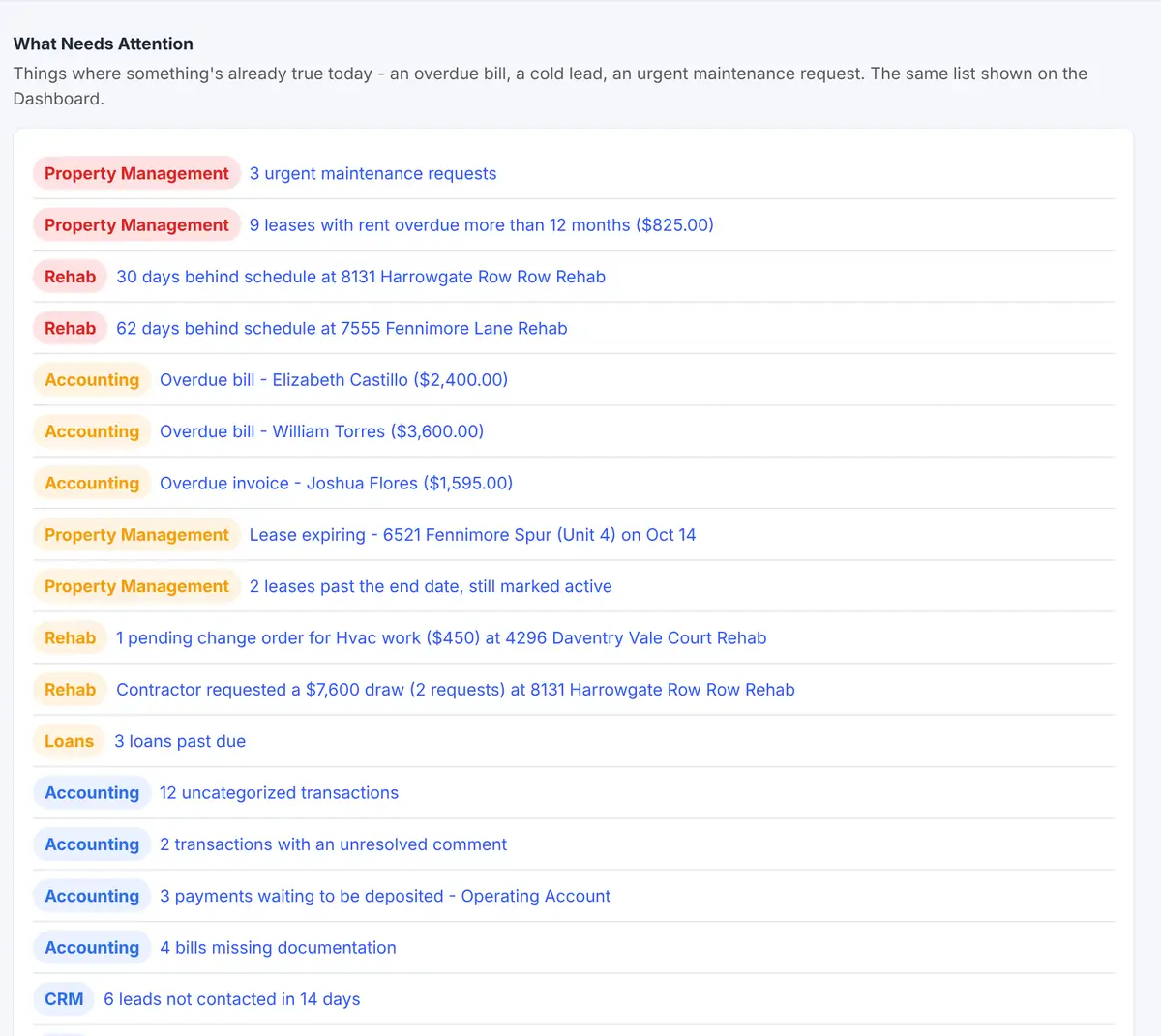
Leads nobody has contacted lately, contacts with no role, uncategorized transactions, and bills missing documentation appear too, when the modules behind them are on.
A look ahead as well
A Coming Up section looks forward at what is about to happen, such as leases ending, loan maturities, and contractor insurance expiring.
Only your modules
The list is built from the modules that are switched on. A module that is off never adds noise to it.
Your daily to-do list, written for you
Needs Attention is the same list that tops your Dashboard, on a page of its own with room to work through it.
 1234
Everything that is already overdue, late, or urgent.
Urgent maintenance, overdue rent, and leases past their end date.
Projects behind schedule, pending change orders, and draw requests.
Overdue bills and invoices, with the vendor and amount.
From the first step to a finished job.
It builds itself
The list reads your own records and adds a line the moment something becomes true.
Start at the top
Work through the lines, each tagged with the module it came from.
Click through
Open the record behind a line and fix the problem there.
Watch it shrink
Once the problem is fixed, the line leaves the list on its own.
One list, many kinds of trouble
On a normal day, a lot more than three things can need you: a leak the tenant marked urgent, rent that is a year behind, a rehab two months late, a contractor draw to approve, overdue bills, loans past due, and leads gone cold.
Instead of finding them in a dozen places, you see them all together, most serious first, and clear them in order.
Sample lines. The wording and counts come from your own records.
Connected to the rest of your operation.
Good to know.
Need a module we don’t have?
GenesisOS is modular, so we can build one just for you.
Run your business from one connected system.
Replace disconnected handoffs with shared records, purpose-built modules, and workflows that move the work forward.