One calendar for your whole team.
Book showings, inspections, meetings, and calls on one shared calendar. Each appointment can be tied to a contact, so the calendar is also part of that person's history.
- One calendar the whole team shares
- Month view with an upcoming list
- Linked to the contacts you meet
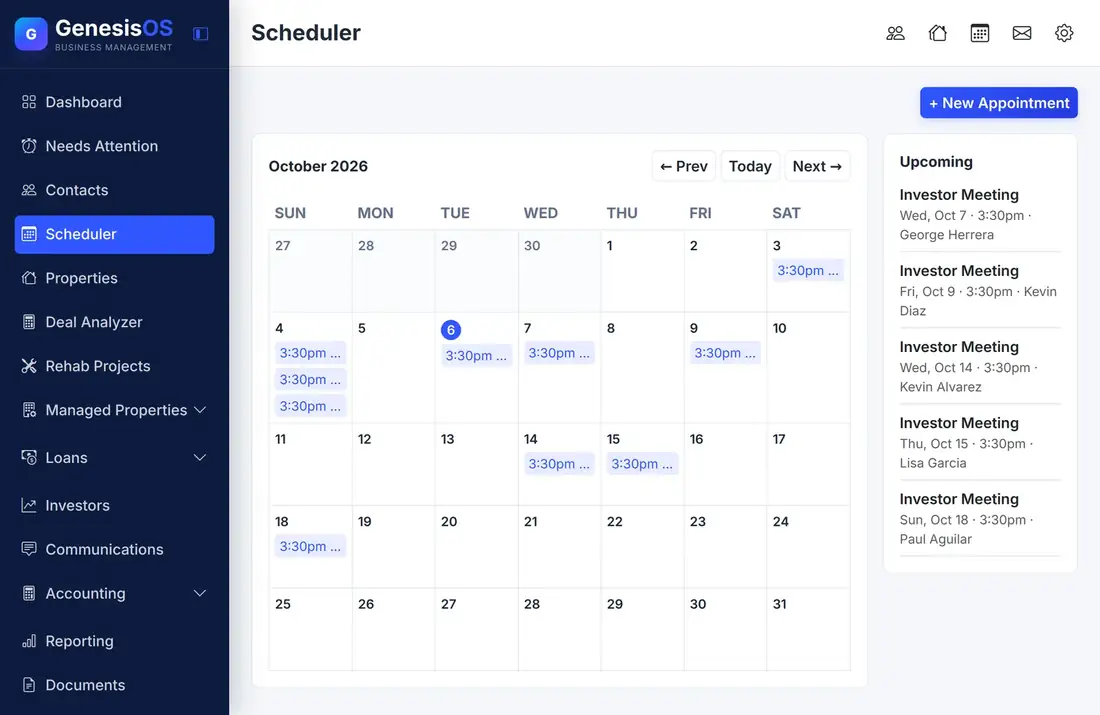
Your schedule, without the double-booking.
A month at a glance
A full month calendar shows every appointment, with Today and previous and next buttons to move around quickly.
Book in a few clicks
Choose New Appointment, pick the type, the time, and the person, and it appears on the shared calendar right away.
An upcoming list beside it
The next appointments sit next to the calendar in order, so you always know what is next without clicking around.
On the contact too
Appointments appear on the contact they are for, so the history of meetings stays with the person.
Built for a team
Everyone on your team sees the same calendar, so a double-booking is easy to spot before it happens.
On your Dashboard
Upcoming appointments show on the Dashboard, so your day starts with what is on the calendar.
The week ahead, with the next appointments beside it
The calendar and the upcoming list share one page, with the button to add an appointment at the top.
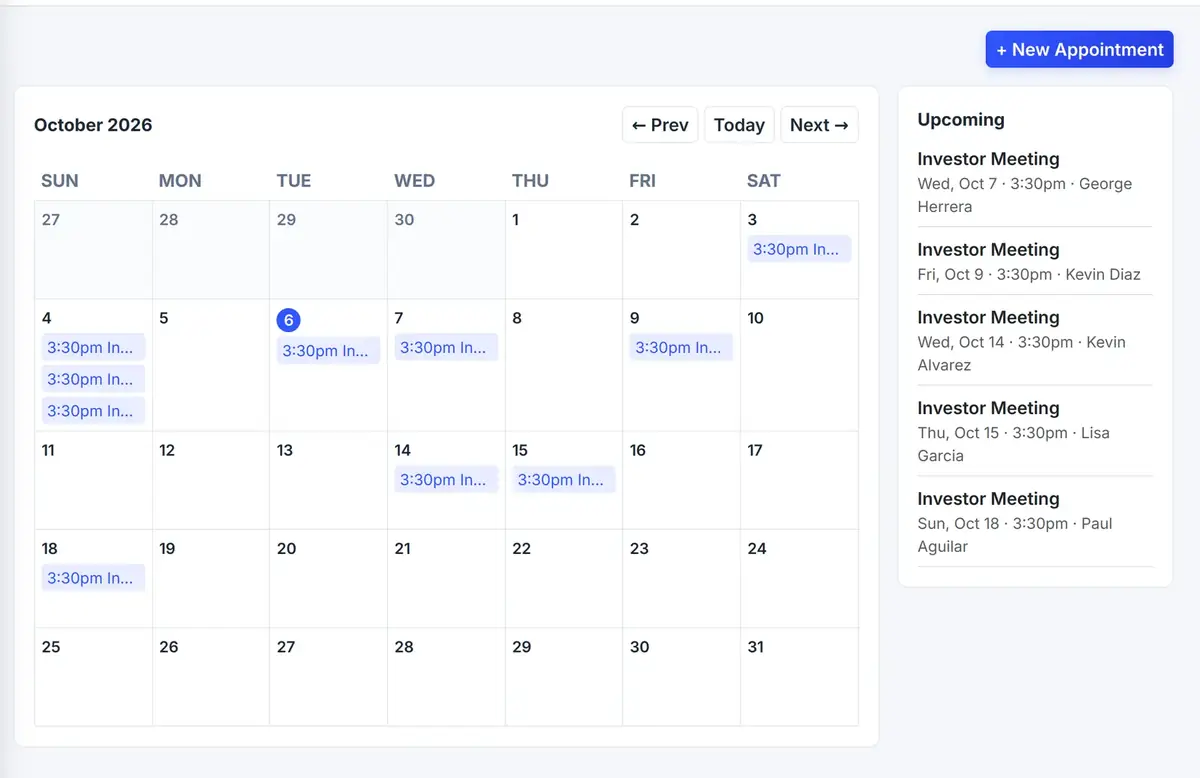 1234
Book a showing, inspection, or meeting.
Jump back to today from any month.
Every appointment on its day, for the whole team.
The next appointments, in order.
From the first step to a finished job.
Open the calendar
See the month and what is already booked.
Add an appointment
Pick the type, the time, and the person it is for.
See the team's week
Everyone sees the same calendar, so double-booking is easy to spot.
Follow up
Open the contact to see the meeting in their history.
A busy Thursday
Thursday has an investor meeting in the morning, a walkthrough at noon, and a loan consultation in the afternoon.
You book each one in seconds. Everyone on the team sees the full day on the same calendar, and each meeting shows on the contact it is for.
Sample day. Your appointment types and times are your own.
Connected to the rest of your operation.
Good to know.
Need a module we don’t have?
GenesisOS is modular, so we can build one just for you.
Run your business from one connected system.
Replace disconnected handoffs with shared records, purpose-built modules, and workflows that move the work forward.