Every property, one complete record.
Give each property one record that holds its details, its photo, its documents, the people tied to it, and its health at a glance. Everything else in GenesisOS (deals, rehabs, rentals, loans) attaches to that record instead of repeating the address.
- One record for every property
- Linked to owners, sellers, and deals
- Included in every plan
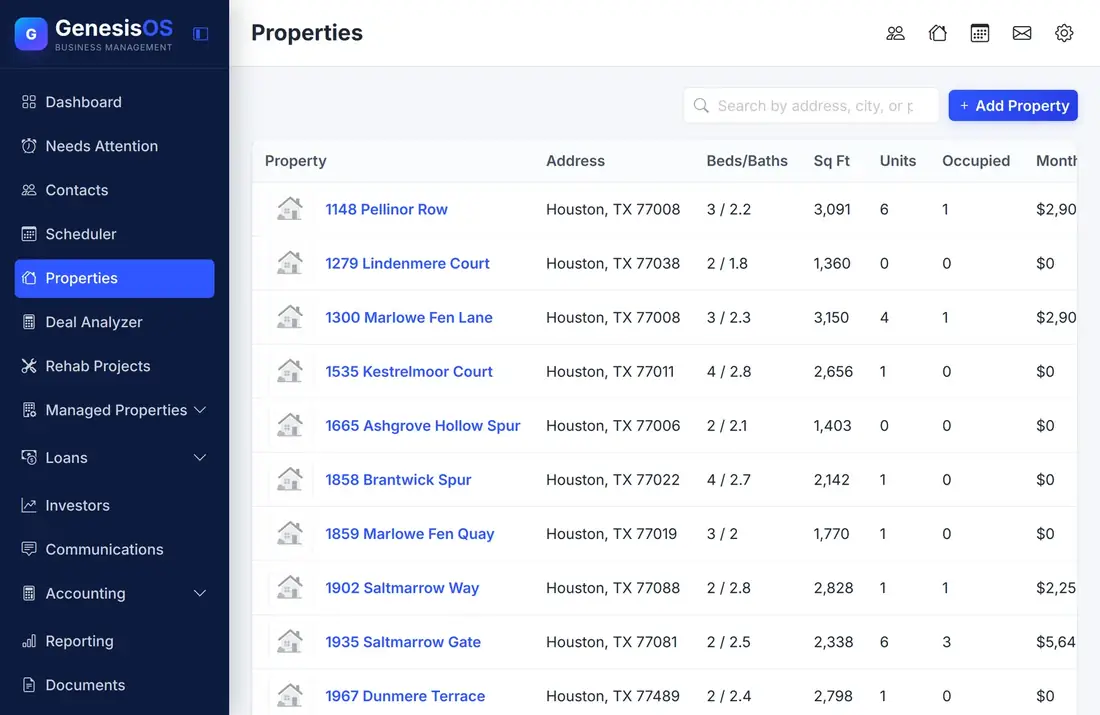
The home base for everything you own or watch.
Details that stay put
Keep the address, beds, baths, square feet, property type, and year built in one place, so you never reopen an old email to find them.
Health at a glance
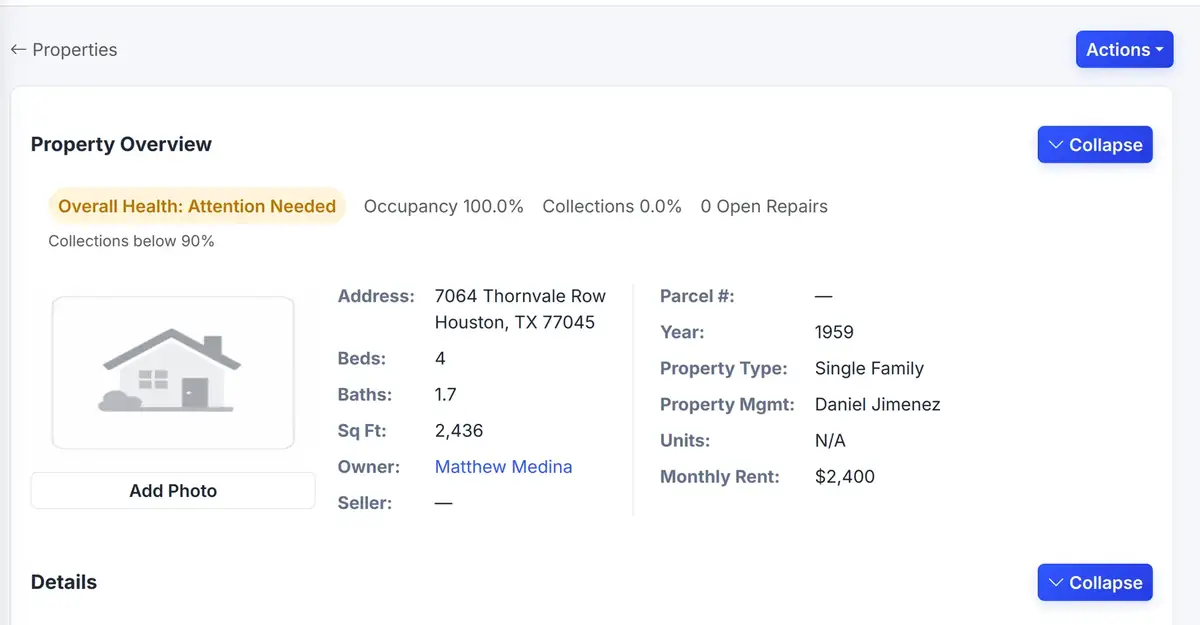
The Property Overview shows overall health, occupancy, collections, and open reports, so a problem property stands out from a healthy one.
The people attached
Link the owner and the seller to the property. Open the property to find them, or open the contact to see every property they are connected to.
A photo you recognize
Add a picture to each property so you pick the right one from a list in a second, not a minute.
History, value and offers
Keep the property history, its value, and the offers made on it together, so the story of the property does not live in someone's memory.
Where the other modules start
Deals, rehabs, rentals, and documents all attach here. Add the property once and every module builds on the same record.
A property, at a glance
Open any property to see its health and details together, with the actions you need in one menu.
 1234
Edit the property or move on to the next step from one menu.
Overall health, occupancy, and collections in one card.
Give the property a picture so you recognize it.
Beds, baths, size, type, year built, and owner.
From the first step to a finished job.
Add the property
Type it in, or let a website lead create it for you.
Fill in the details
Add the beds, baths, size, type, and year built, and attach a photo.
Attach people and files
Link the owner and the seller, and file documents on the record.
Build on it
Analyze the deal, start a rehab, manage it as a rental, or attach a loan.
One address, a whole story
A lead gives you the address of a house. You add the property and link the seller.
Over the next months the same record gets a deal analysis, a rehab project, a lease, and the documents for each one, without anyone retyping the address.
These are the modules that build on a property. Each one is its own module switch.
Connected to the rest of your operation.
Good to know.
Need a module we don’t have?
GenesisOS is modular, so we can build one just for you.
Run your business from one connected system.
Replace disconnected handoffs with shared records, purpose-built modules, and workflows that move the work forward.