Books that keep up with the work.
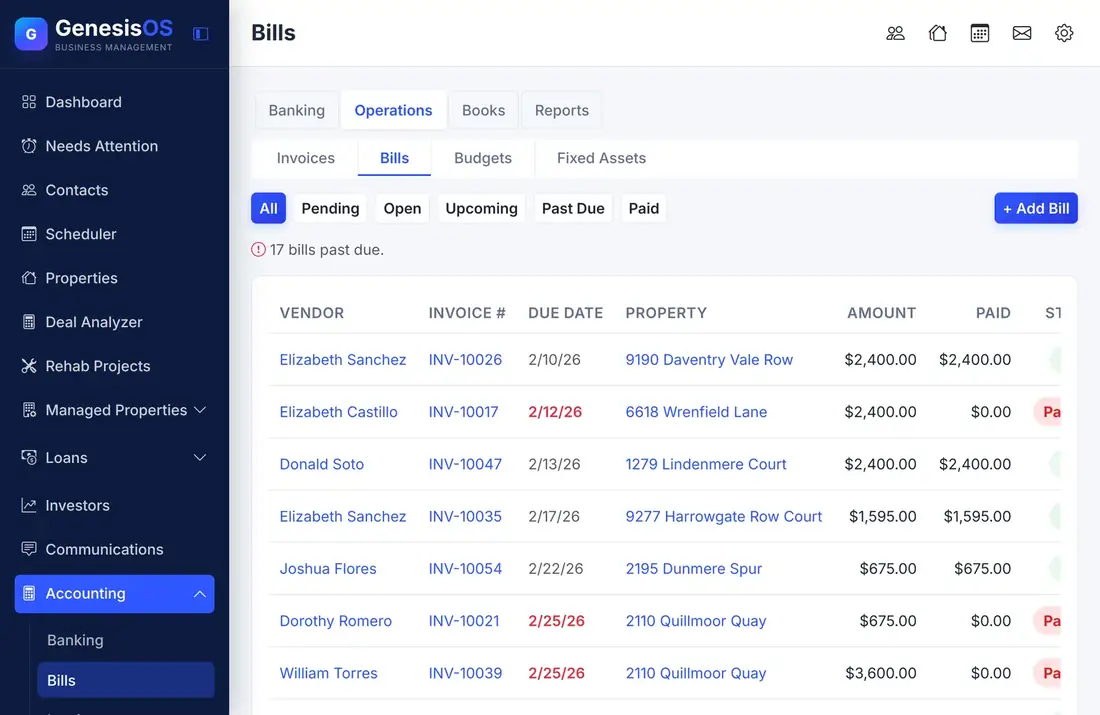
Banking, bills, invoices, budgets, and reports sit beside the work that creates them. Rent, loan payments, rehab draws, and distributions post to your books automatically, using the accounts you choose, so nothing is entered twice.
- Four areas: banking, operations, books, reports
- Automatic posting from your other modules
- Real reports: profit and loss, balance sheet
Keep the books without double entry by hand.
Banking in one place
Keep your bank accounts and their transactions together, with items waiting to be matched, and track more than one entity if you run more than one business.
Bills and invoices
Enter vendor bills with their due dates and watch their status, from open to paid or past due. Filter the list to see only what is coming due.
A real set of books
A chart of accounts, a journal, a trial balance, and period close give you the books an accountant expects to see.
Automatic posting
Rent, loan payments, rehab draws, escrow, and distributions post to accounts you map once, so the work you do in other modules lands in the books on its own.
Reports that answer questions
Run a profit and loss for any dates, a balance sheet, a cash flow forecast, a portfolio view, and an unusual activity report.
Budgets and fixed assets
Set budgets and compare them to actuals, and track fixed assets, so planning and the books use the same numbers.
Profit and loss for any dates
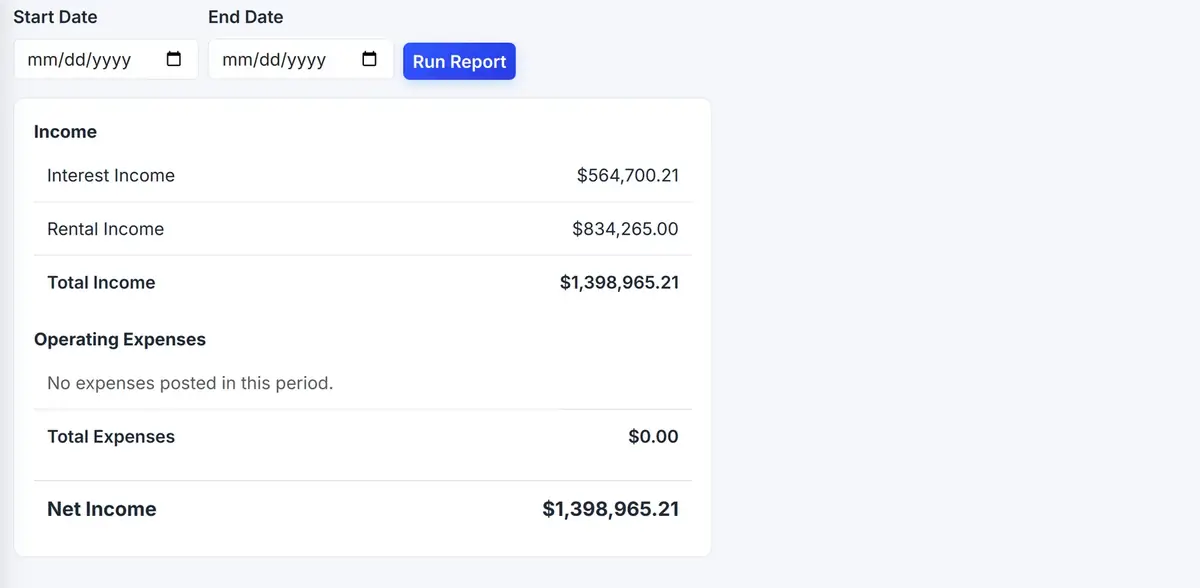
Choose a start and end date, run the report, and see your income, your expenses, and what is left.
 1234
Choose the dates, then run it.
Income is listed by account, so you see where it came from.
Everything you spent in the period.
What is left after expenses.
From the first step to a finished job.
Map your accounts
Choose which account each kind of posting uses, once.
Work as usual
Record rent, loan payments, and draws in their own modules, and enter vendor bills here.
Reconcile and close
Match bank items and close each period.
Run your reports
Open a profit and loss, a balance sheet, or a forecast any time.
A month of rent
Rent comes in on the first of the month and is recorded in Property Management. It posts to your Rental Income account without anyone touching the books.
A vendor bill is entered and paid. At month end, your profit and loss shows both sides.
Sample mapping. Which account each item uses is your choice.
Connected to the rest of your operation.
Good to know.
Need a module we don’t have?
GenesisOS is modular, so we can build one just for you.
Run your business from one connected system.
Replace disconnected handoffs with shared records, purpose-built modules, and workflows that move the work forward.