Website leads become contacts on their own.
Point a form on your own website at your private GenesisOS link. Every submission creates a contact, and a property too when the lead gave an address, so nobody has to type a lead in by hand.
- Zero retyping of leads
- One private link per account
- Source saved with every lead
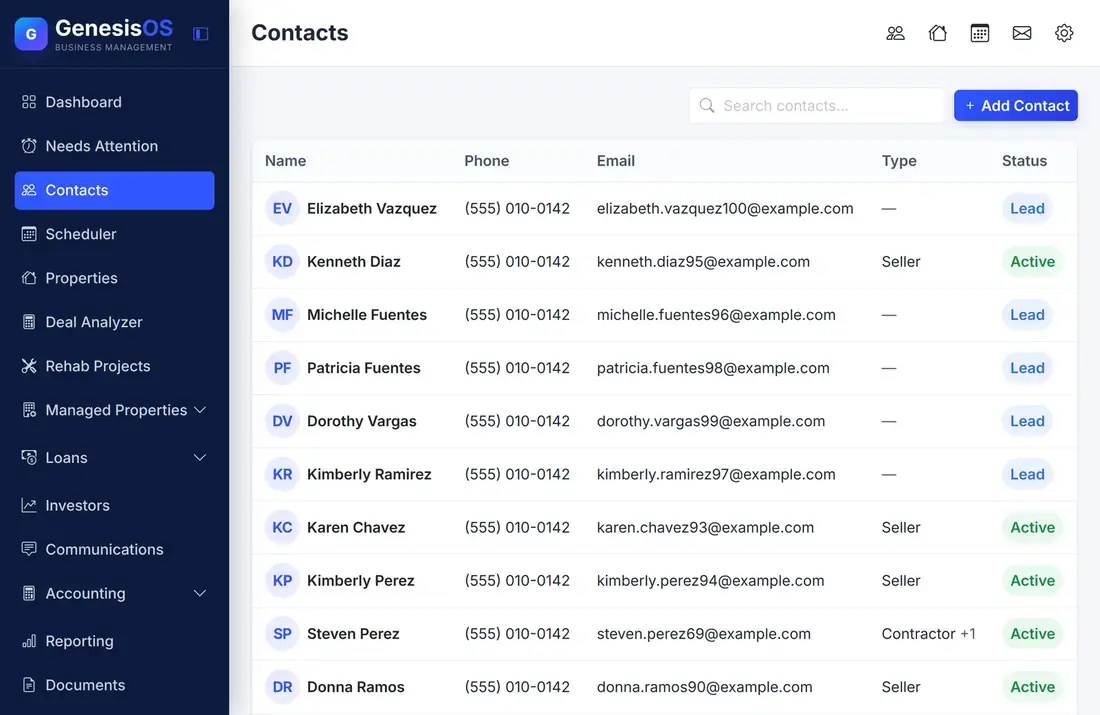
From website visitor to contact record.
Use the form you already have
Keep the contact form on your own website. Point it at your GenesisOS link and every submission arrives as a new contact.
A contact is created for you
The name, email, and phone from the form become a contact, ready to message or assign a task to, with no copy and paste.
A property too, when there is one
If the lead includes a property address, a property is created and linked to the contact. Leave the address out and only the contact is made.
Know where each lead came from
Add a lead source field to your form and it is saved on the contact, so you can see which sources bring in real business.
A link only you have
Your link carries a private token. If it ever leaks, generate a new one and the old link stops working.
Works on your own site
The link accepts submissions from forms on your own website, so you do not need to send visitors to a page that is not yours.
Your lead link, in Settings
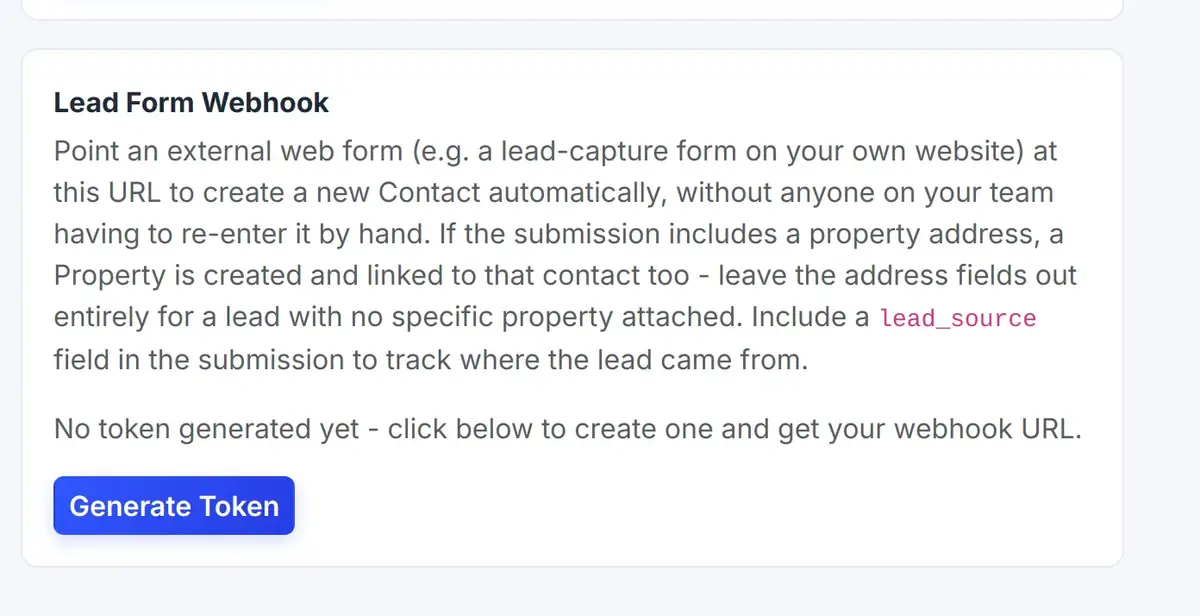
Under Integrations, the Lead Form Webhook card holds your private link and explains exactly what to send to it.
 123
Your private link for website forms lives on this card.
Send this field and the source is saved on the contact.
Create your link, or replace it with a new one at any time.
From the first step to a finished job.
Generate your link
Open Integrations in Settings and create your private token.
Point your form at it
Set your website form to send its fields to that link.
Leads arrive
Each submission becomes a contact, and a property when an address is included.
Follow up
Message the lead or add a task from the contact right away.
A seller finds you at midnight
A homeowner fills in the form on your website with their name, phone, and the address of the house they want to sell. They choose "Website" as the source.
By morning, the contact and the property are already in GenesisOS, linked, with the source saved.
Sample submission. The fields depend on your own form.
Connected to the rest of your operation.
Good to know.
Need a module we don’t have?
GenesisOS is modular, so we can build one just for you.
Run your business from one connected system.
Replace disconnected handoffs with shared records, purpose-built modules, and workflows that move the work forward.