Every file on the record it belongs to.
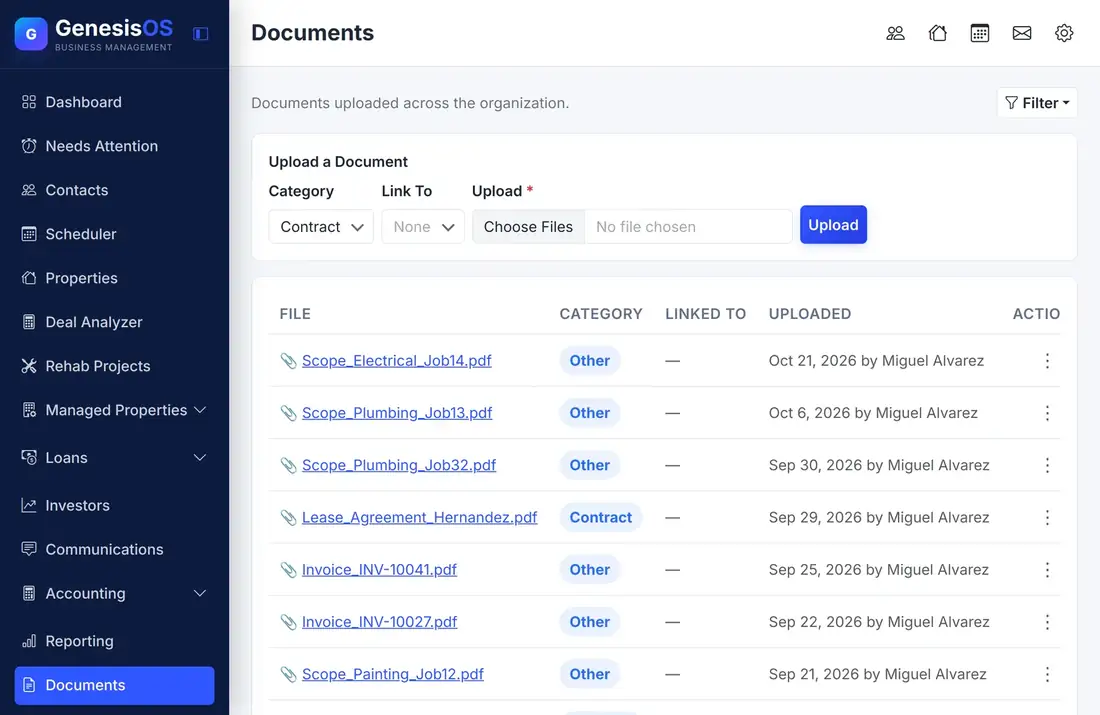
Upload a contract, a closing statement, or a photo once and attach it to the contact, property, or loan it belongs to. Open it from that record or from one searchable library, and share the right files with customers through their portal.
- One library for every file
- Every file linked to the record it belongs to
- In-app viewing for PDFs and images
Stop hunting for the right file.
Linked to the real record
When you upload a file you choose what it is linked to, such as a contact, a property, or a loan. It then shows on that record and in the library.
Categories you can filter
Give each file a category, then filter the library to find what you need without scrolling through everything.
Open it without downloading
PDFs and images open in a viewer right in the app, and anything else downloads. Nobody saves ten files just to read one.
On every record
Contacts, properties, and loans each show their own Documents tab, so the file is where you are already working.
Shared through the portal
Customers who log in to the Client Portal can open the documents you have attached to their own loan, lease, or deal.
Clean deletion
Delete a file and it is removed from the record and from storage, so nothing is left behind on the server.
One library, filtered the way you think
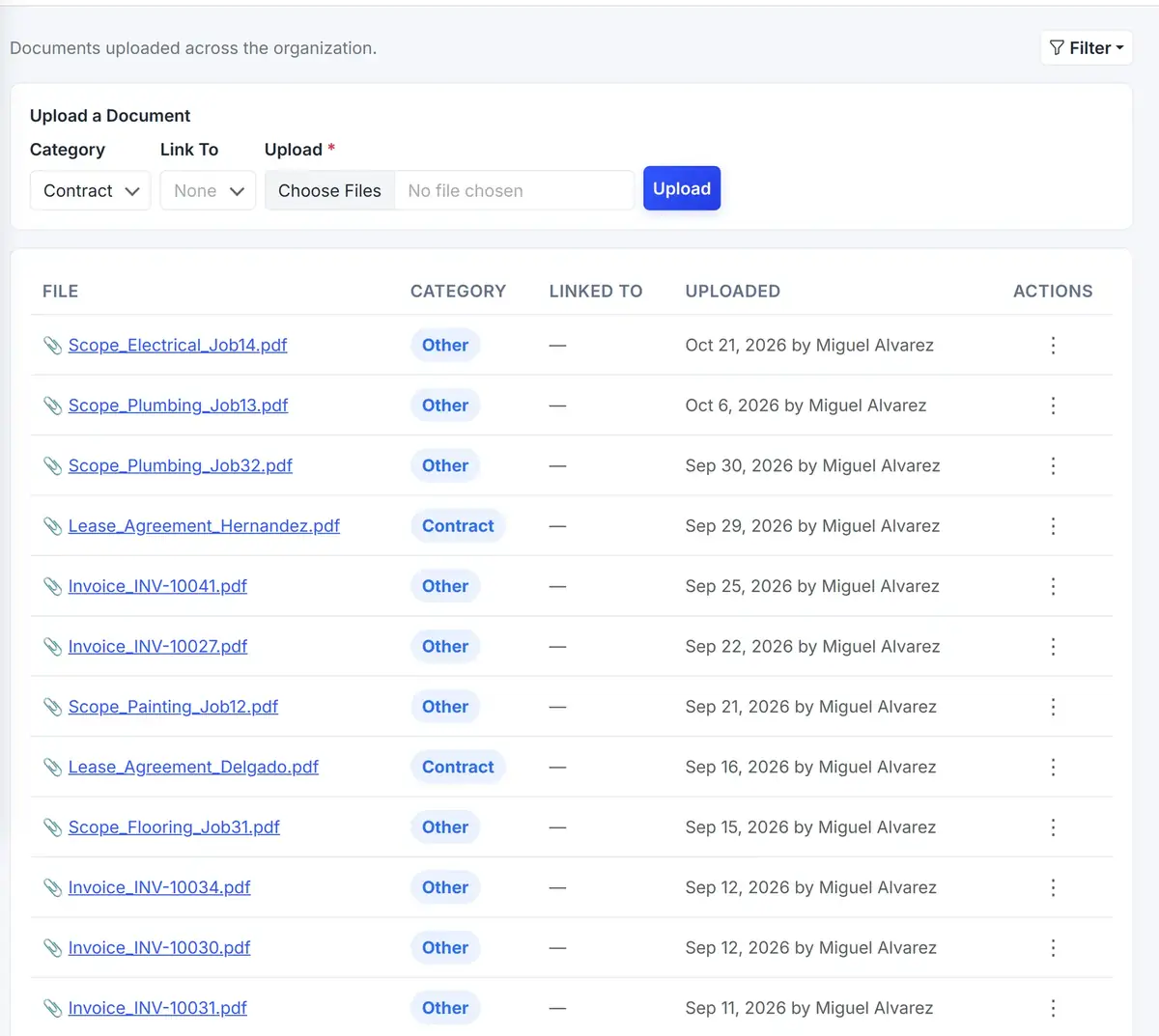
The Documents page lists every file with its category, what it is linked to and when it was uploaded.
 1234
Narrow the library by category or by the record a file belongs to.
Label each file so contracts, photos, and statements stay separate.
Choose the contact, property, or loan the file belongs to.
See at a glance which record every file is attached to.
From the first step to a finished job.
Choose a file
Pick a PDF or an image from your computer.
Say what it is
Set its category and choose the record it is linked to.
Upload it
The file appears in the library and on the Documents tab of that record.
Find it later
Filter the library, or open the record and look at its own Documents tab.
Closing day, filed in a minute
A closing statement arrives for a purchase. You upload it once, set its category and link it to the property.
Anyone who opens that property later finds the statement on its Documents tab. No email search is needed.
Sample upload. Your categories and records are your own.
Connected to the rest of your operation.
Good to know.
Need a module we don’t have?
GenesisOS is modular, so we can build one just for you.
Run your business from one connected system.
Replace disconnected handoffs with shared records, purpose-built modules, and workflows that move the work forward.