Every loan, from application to funded.
Track each loan through the same stages, from the first application to the day it funds. See the whole pipeline at a glance, keep a dated checklist on every loan, and record the outcome when it is funded or declined.
- Seven stages from application to funded
- One dated checklist per loan
- Linked to the borrower and the property
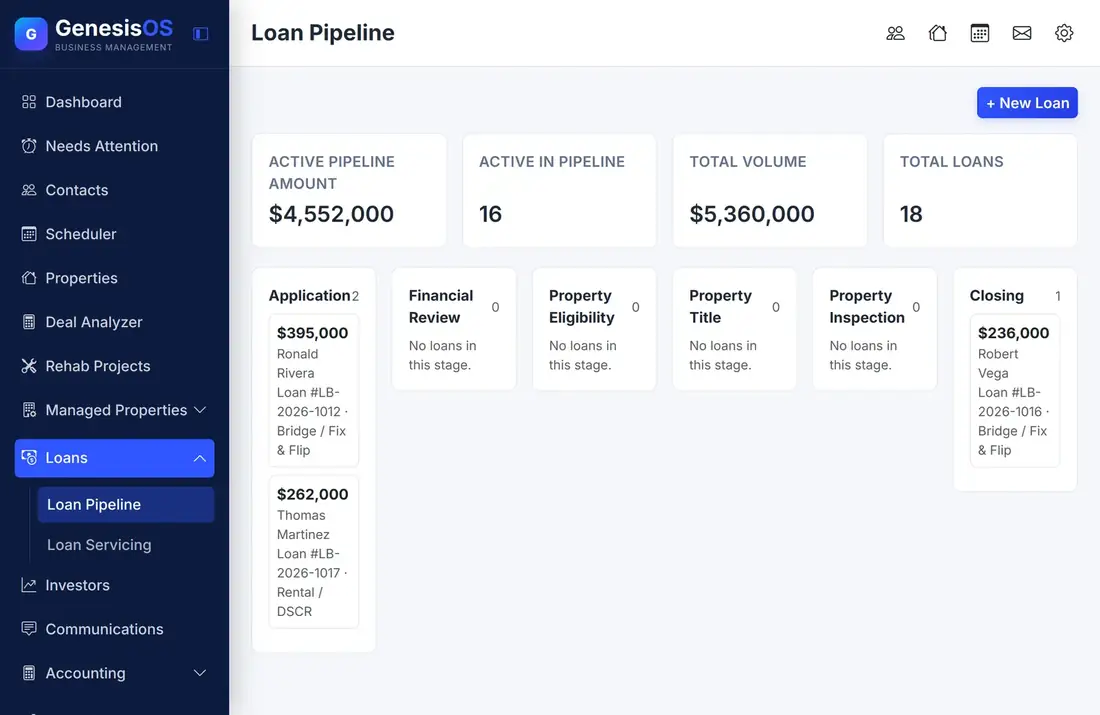
Know where every loan stands.
A pipeline you can see
A board shows the loans in each stage, with the active pipeline amount, the number of loans in the pipeline, and your total volume above it.
A checklist on every loan
Each loan walks through Application, Financial Review, Property Eligibility, Property Title, Property Inspection, and Closing, with a date as each step is done.
Funded or declined, recorded
Mark a loan funded or declined, and the outcome is kept on the loan. A funded loan moves on to servicing.
Borrower and property linked
Each loan is tied to the borrower's contact record and to the property, so you can jump from any loan to the people and the place.
A number for every loan
Every loan gets its own loan number, so conversations with borrowers, title, and investors can refer to the same thing.
Documents on the loan
File the application, the appraisal, and the closing documents on the loan itself, and borrowers can open the loan's documents in their portal.
A loan, step by step
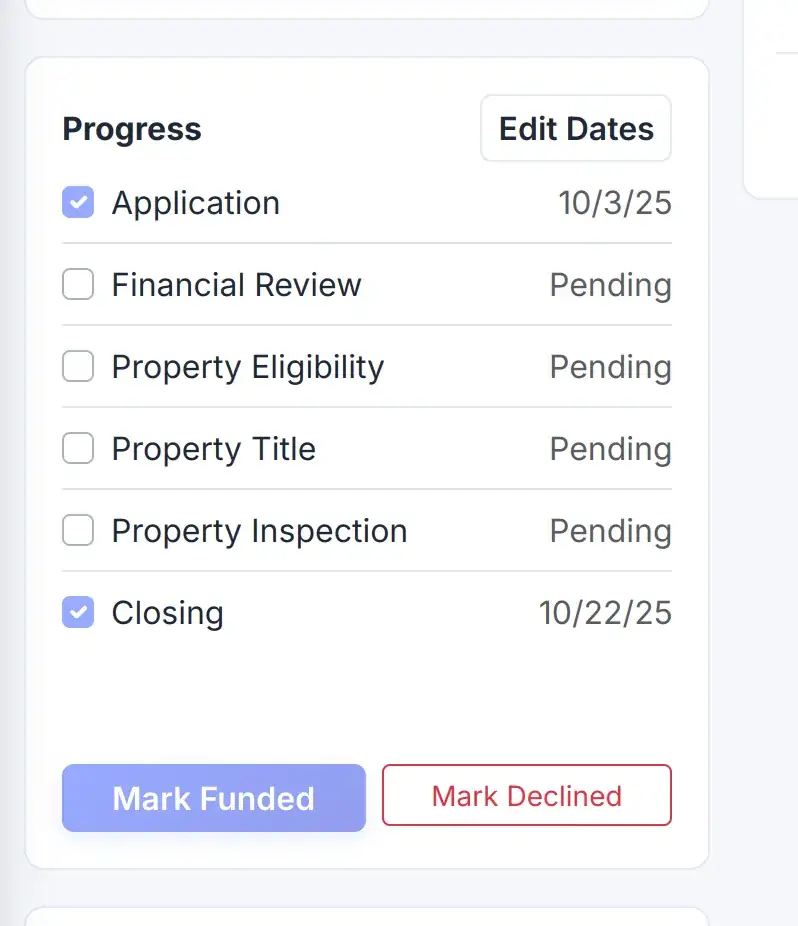
Each loan has its own progress checklist. Dates are recorded as steps are finished, and the loan ends as funded or declined.
 1234
Every stage the loan passes through, from application to closing.
Record when each step was completed.
Record that the loan has funded.
Record a decline, with the loan kept for your records.
From the first step to a finished job.
Add the loan
Choose the borrower and the property, and enter the amount and type.
Work the stages
Move through financial review, eligibility, title, and inspection, recording the date of each.
Close and fund
Mark the loan funded when it closes, or declined if it does not go ahead.
Service it
A funded loan moves on to Loan Servicing for payments.
A fix-and-flip loan at closing
A $178,500 fix-and-flip loan has passed financial review, eligibility, title, and inspection. Closing is the last step.
You record the closing date, mark the loan funded, and it moves into servicing.
Sample loan. Your stages and dates come from your own records.
Connected to the rest of your operation.
Good to know.
Need a module we don’t have?
GenesisOS is modular, so we can build one just for you.
Run your business from one connected system.
Replace disconnected handoffs with shared records, purpose-built modules, and workflows that move the work forward.