Raise it, allocate it, report it.
Set up funds, record what each investor puts in, allocate that money to loans, and log distributions. Your investors log in to see their own investments and their statement, so you stop emailing spreadsheets.
- Funds with committed and allocated totals
- Two kinds of return: pro-rata or fixed rate
- One portal for your investors
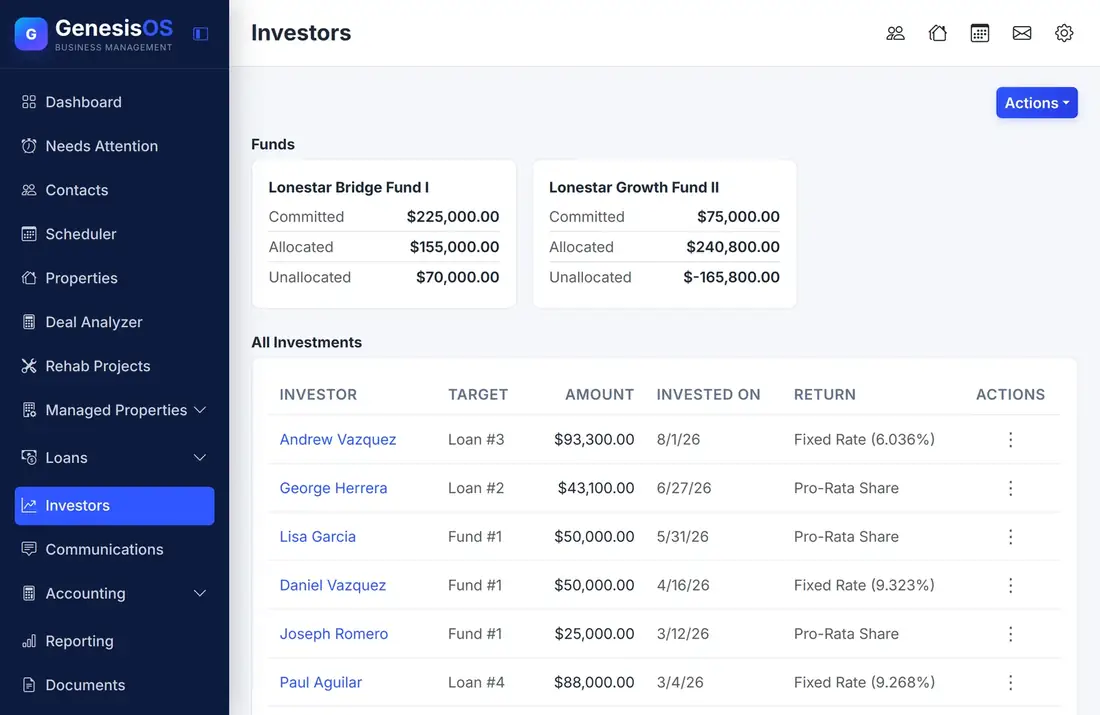
Everything your investors ask you for.
Funds with clear totals
Each fund shows what is committed, what is allocated to loans, and what is still unallocated, so you always know how much is free to lend.
An investment for every investor
Record each investment with the investor, the fund or loan it went into, the amount, the date, and how the return is paid.
Two ways to pay a return
An investment earns either a pro-rata share of the fund or a fixed rate, and each investment shows which one it uses.
Allocate money to loans
See which loans a fund has money in and how much, and allocate more as new loans come in.
Distributions on record
Record the distributions you pay out, so what each investor has received is written down in one place.
A portal for investors
Investors log in to see their dashboard, each of their investments, and a statement, without emailing you for them.
A fund and the people in it
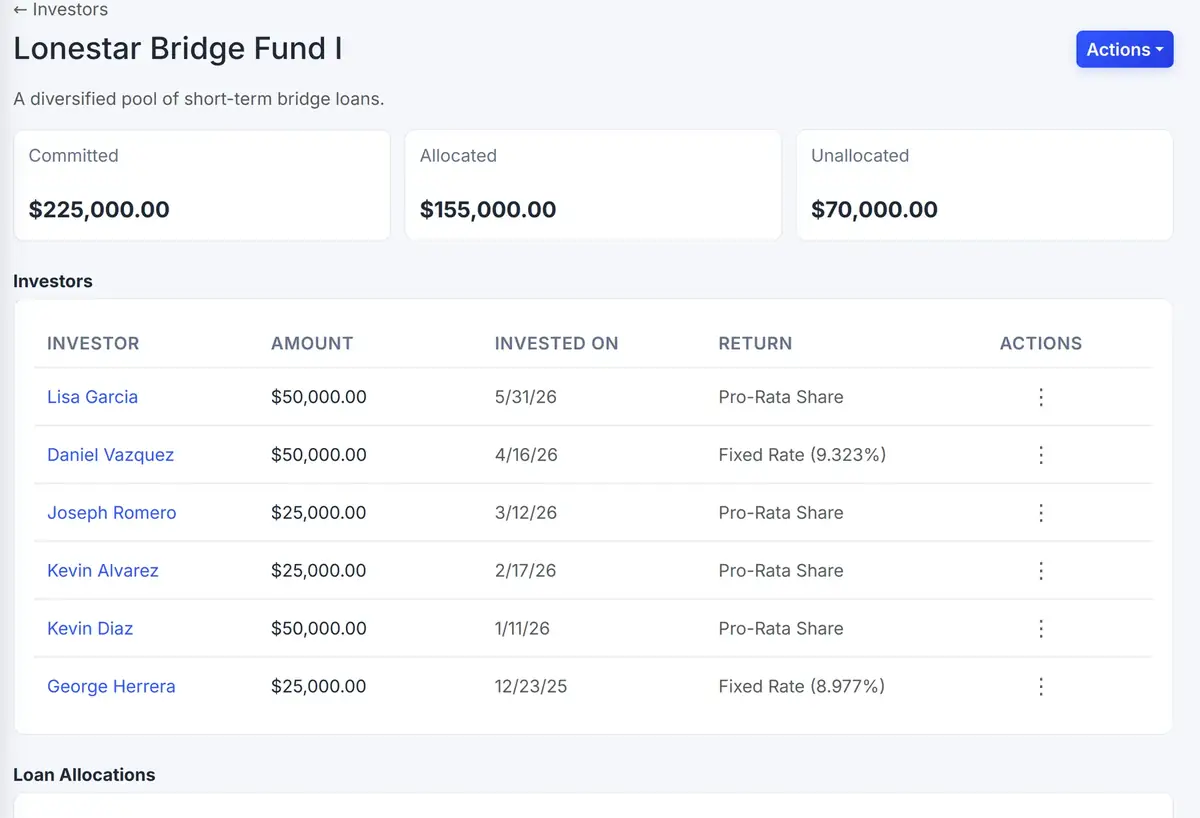
A fund page lists its investors and shows which loans the money has been allocated to.
 1234
Add investments, allocations, and distributions from one menu.
Everyone who has money in the fund, with amounts and dates.
A pro-rata share or a fixed rate, for each investment.
The loans the fund has money in, and how much.
From the first step to a finished job.
Create a fund
Name it and record what has been committed.
Add investments
Record each investor, amount, date, and return type.
Allocate to loans
Assign fund money to specific loans.
Report
Log distributions, and investors see their statement in the portal.
A bridge fund
You raise $200,000 for a bridge fund from several investors. You allocate $150,000 to two loans and keep the rest ready for the next one.
When interest comes in, you record the distributions. Each investor opens their portal and sees their own investment and statement.
Sample fund. Your funds, investors and amounts are your own.
Connected to the rest of your operation.
Good to know.
Need a module we don’t have?
GenesisOS is modular, so we can build one just for you.
Run your business from one connected system.
Replace disconnected handoffs with shared records, purpose-built modules, and workflows that move the work forward.